
SwimSet: Swim Workout Tracker
Plan your sets, follow a saved session on iPhone or Watch, then share a clear PDF of planned distance, recorded repeats and actual times.
iPhone and iPadAvailable worldwideVersion 2.0.0
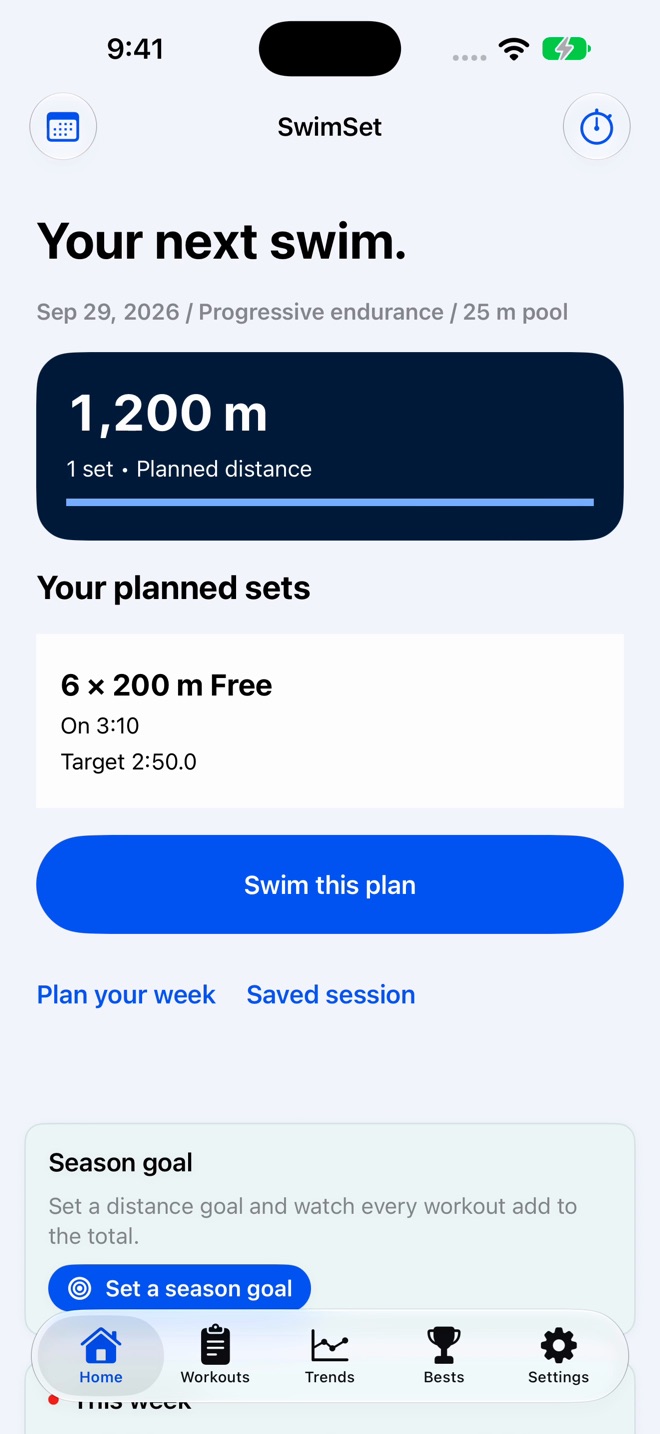
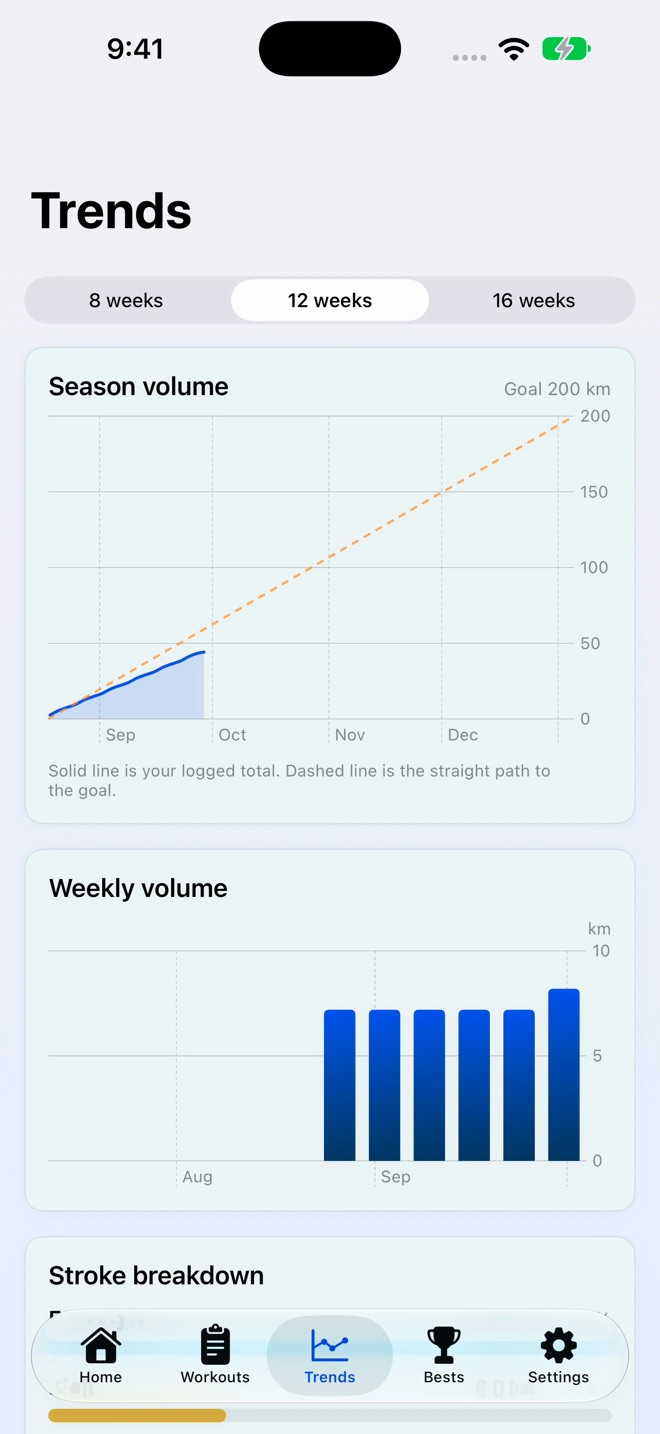
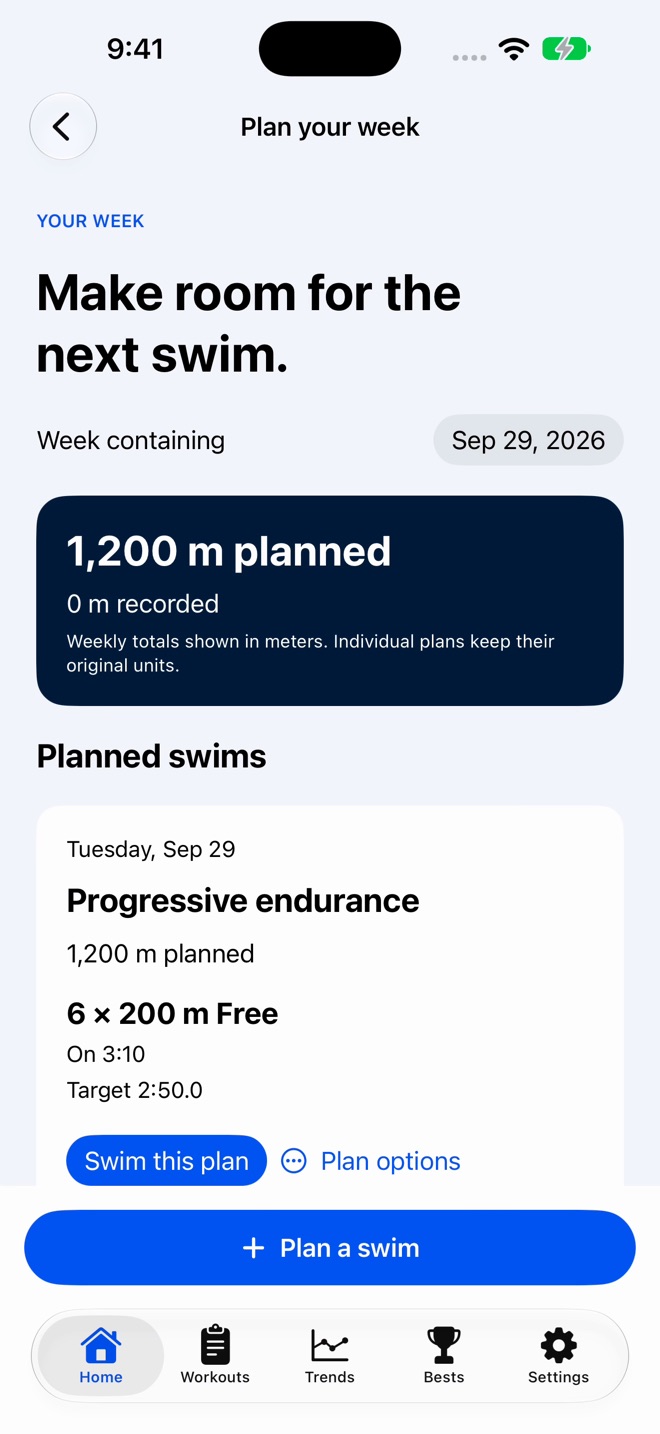
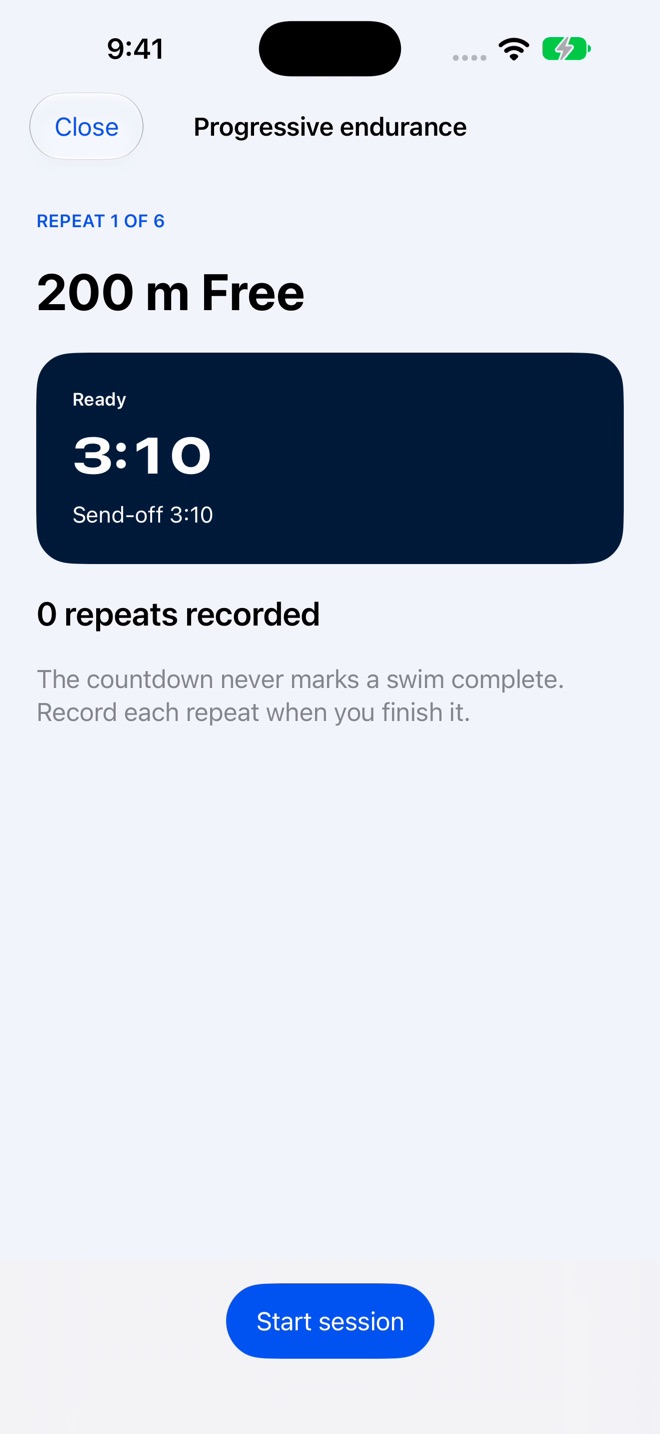
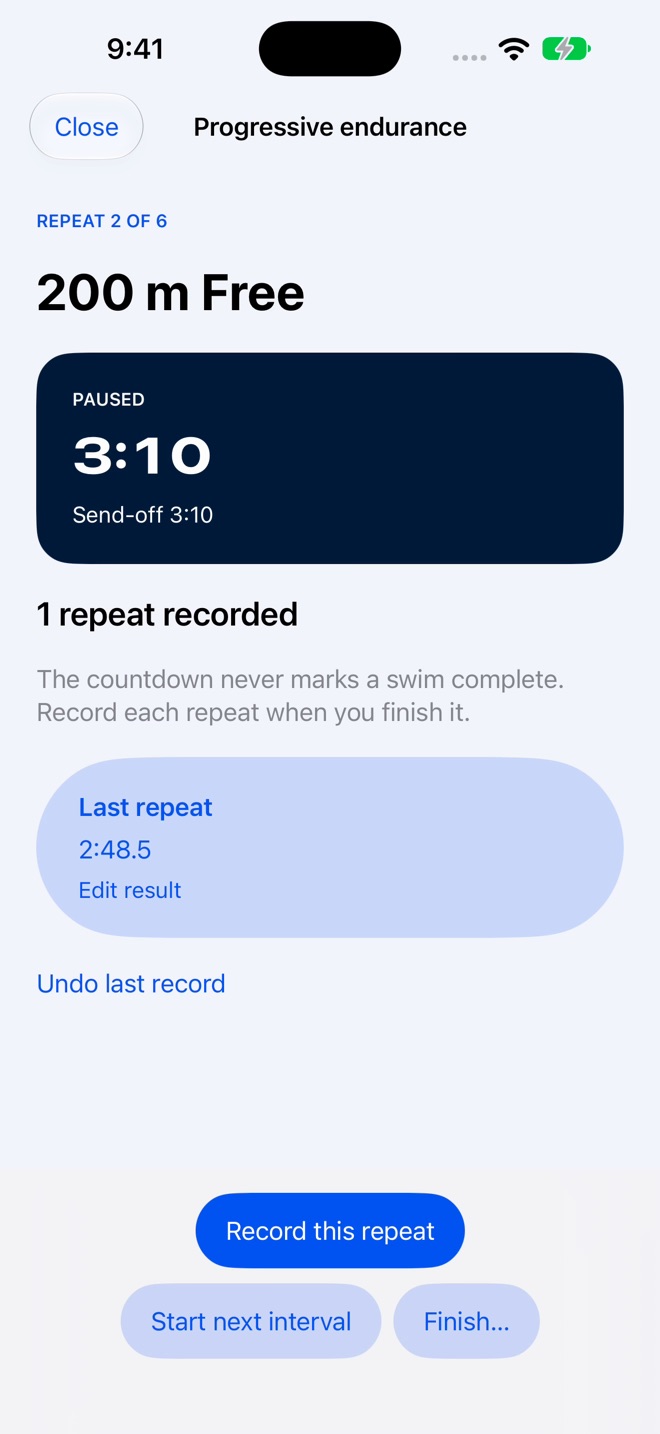
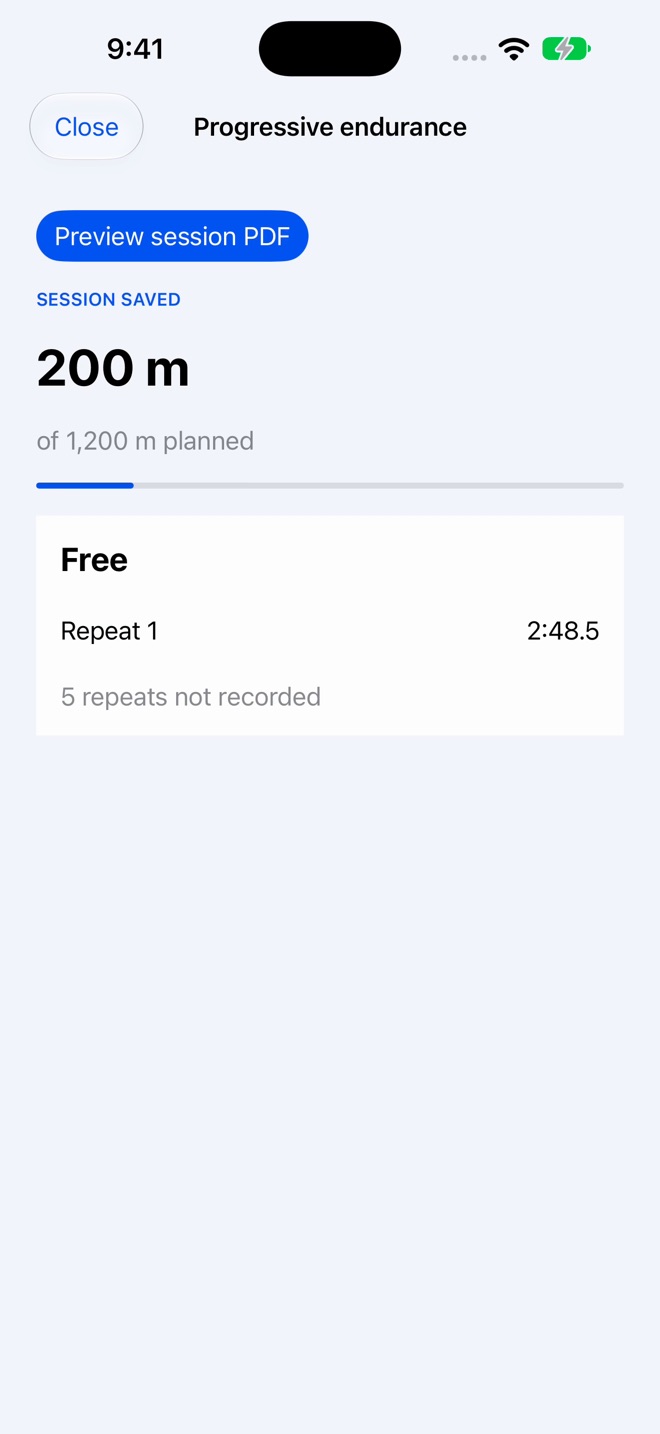
Plan your next swim, follow its sets, and keep an honest record of what you completed. SwimSet connects your weekly plan, pool session and coach-readable report in one swimmer’s logbook.
PLAN BEFORE YOU SWIM
Schedule sessions separately from completed workouts. Set your pool course, strokes, repetitions, distance, equipment and notes. Add target times and send-offs, or build editable repeats from a chosen pace and rest. See planned and recorded weekly distance side by side.
FOLLOW THE SESSION
Use a saved session on iPhone or send its structured plan to Apple Watch. Start, pause and recover your place. Record a completed or skipped repeat and enter actual swim times yourself. An expired countdown never invents a completed lap. Watch results stay saved until the phone confirms receipt.
REVIEW AND REUSE
Keep partial sessions, correct repeat results and compare consistency across timed repeats. Untimed repeats retain distance without an invented pace. Create another plan from your current log or reuse the complete original plan, including unfinished repeats.
KEEP YOUR SWIMMING HISTORY
Log standard or custom pool lengths in meters or yards. See pace per 100 and even splits, compare matching timed sets, review stroke breakdowns and your recent 28-day training rhythm. Keep personal bests, confirm a timed repeat as a record, set season goals and schedule swim reminders. Workout Library and Pool Deck Mode remain available.
PREVIEW AND SHARE PDFs
Read a session-plan PDF before sharing. Export current workout cards or a separate original repeat report with planned and recorded distance, actual times and notes. Export workout sets and personal bests as CSV.
APPLE HEALTH AND PRIVACY
Optionally view completed swimming workouts from Apple Health in a clearly identified, read-only view. Health data is not copied into the logbook or iCloud. No separate SwimSet account, ads or tracking. Your logbook uses your device and private iCloud across iPhone, iPad and supported Macs.
FREE AND PRO
Try one saved item per category for free: a workout, a personal best and a season goal, with pace tools and stroke breakdowns. Pro adds unlimited records and season goals, scheduled plans and pace-based sets, guided phone and Watch sessions, repeat results and corrections, plan reuse, Workout Library, Pool Deck Mode, Health swim viewing, Training Rhythm, PDF reports and CSV exports. The complete feature list and a real PDF sample are visible on the paywall. Pro updates are included while you have Pro access; existing purchases keep their access.
Choose monthly, yearly or one-time lifetime access. The App Store shows the current localized price before purchase. Eligible introductory offers state their later renewal price and can be skipped. Subscriptions renew automatically until cancelled in Settings > Apple Account > Subscriptions. Payment is charged to your Apple Account at confirmation; cancellation takes effect at the end of the current period.
Terms: Apple Standard EULA https://www.apple.com/legal/internet-services/itunes/dev/stdeula/
Privacy: https://innovalabworks.com/a/swimset/privacy
This is a manual planning and recording tool, not automatic lap detection or medical advice. Train within your limits.
What’s new · 2.0.0
SwimSet 2.0 connects your plan to the result.
A new start for every swim: Your next planned swim leads the home screen, with its sets and distance ready to review. The new goggles icon and pool-blue design carry through the app.
Plan the week before you swim: Keep scheduled plans separate from completed distance. Build sets with strokes, equipment, notes, targets and send-offs, or calculate editable repeats from a chosen pace and rest.
Follow each repeat deliberately: Start, pause and recover a saved session. An elapsed send-off asks what happened instead of counting an unrecorded repeat as completed.
Keep an honest result: Finish a partial swim, enter actual times, correct or skip repeats, and compare consistency across timed repeats. Untimed repeats keep their distance without an invented pace.
A more useful Watch session: Send a structured plan to Apple Watch, enter or correct repeat times, and keep finished results saved until the phone confirms receipt. Countdown recovery preserves your place after an interruption.
Use what worked again: Create another plan from the current logbook entry or reuse the complete original plan, including repeats you did not finish. Later edits do not rewrite the original session.
Preview clear PDF plans and reports: Read a planned-session PDF before sharing it. Export current workout cards or a separate original repeat report with planned versus recorded distance, times and notes. CSV exports remain available.
See exactly what Pro includes: Read the complete Pro feature list and a real PDF sample on the paywall. Prices come from the App Store, offers show their renewal price, and existing purchases keep their access. Pro updates are included.
Missing a feature?
Your ideas help shape our apps. Tell us what would make your app more useful.
We review requests to understand what would help. Timing depends on scope, priorities and App Store review.
More from InnovaLabWorksWakeWindow: Baby Nap TrackerWalkQuest: Walking StreaksWindDown Bedtime Ritual
Health & FitnessMore in this category
AnchorDays: RecoveryCount sober days, meet urgesOn the App Store
BodyRise CalisthenicsBodyweight progressionsOn the App Store

BreathLoop: BreathingFollow the circle, breathe with gentle taps. Box, 4-7-8, and coherent breathing…On the App Store

CaffCutoff: Caffeine ClockSee how much caffeine is still in you right now, watch it fade on a live curve…On the App Store
Common questions
Where can I download SwimSet: Swim Workout Tracker?
Use the App Store link above to see availability, supported devices and current purchase options in your region.
What is the current App Store version?
2.0.0
Where can I find the privacy details?
Read this app’s privacy policy using the link below. Storage, sync and optional online features are specific to each app.