
StudyBeat: Study Planner
Choose a study objective, focus on one block, then review what needs practice. Correct your logged time and build a record of the work you actually did.
iPhone and iPadAvailable worldwideVersion 2.0.0
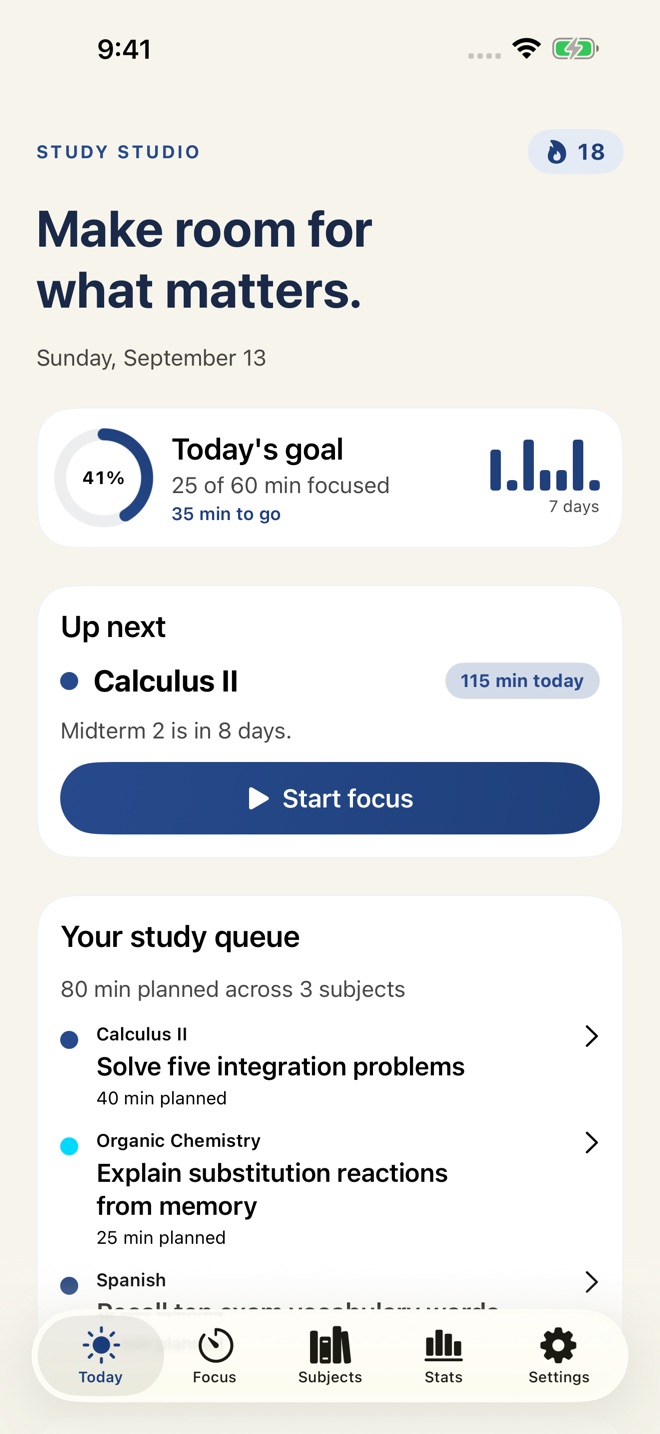
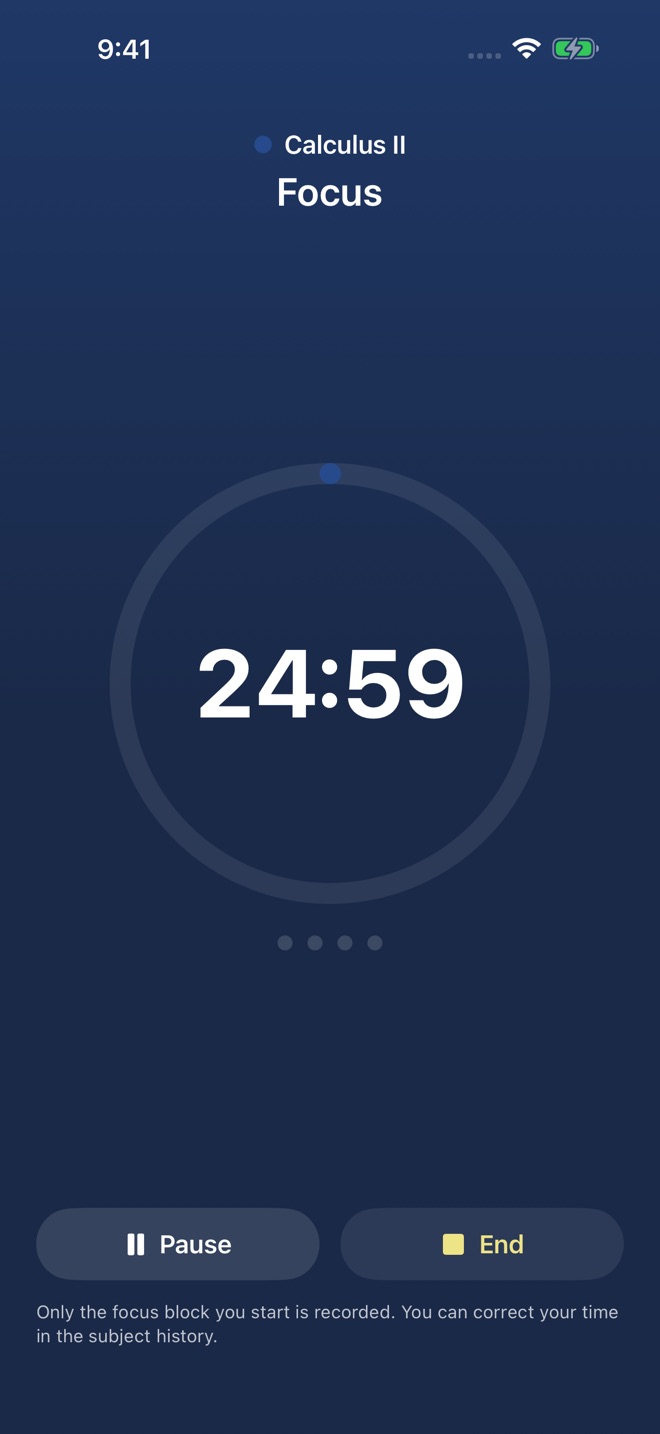
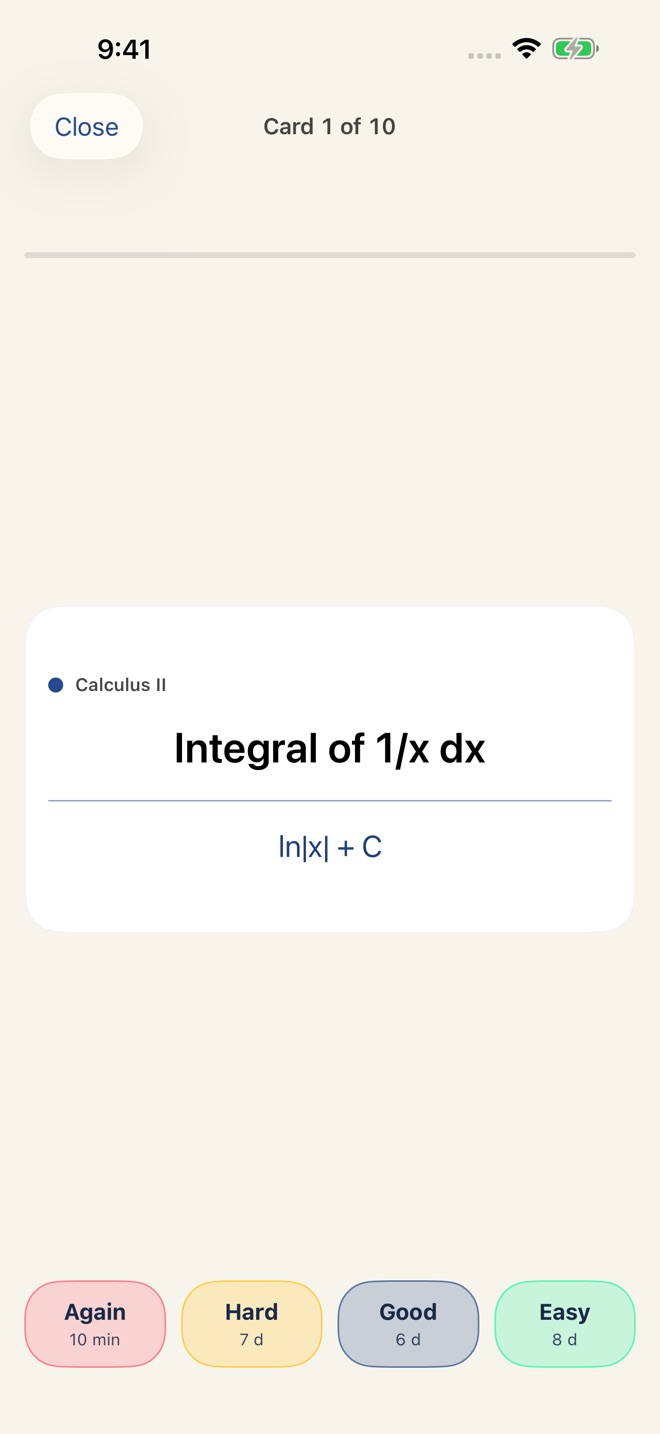
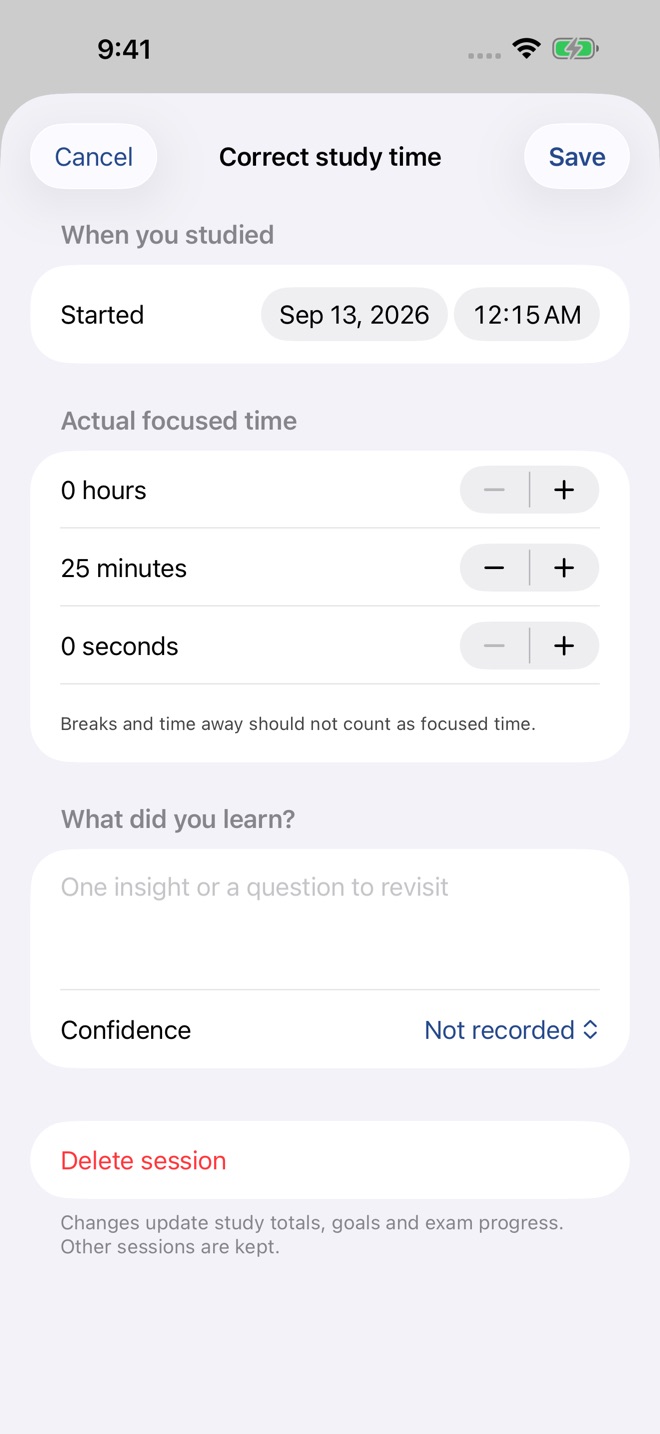
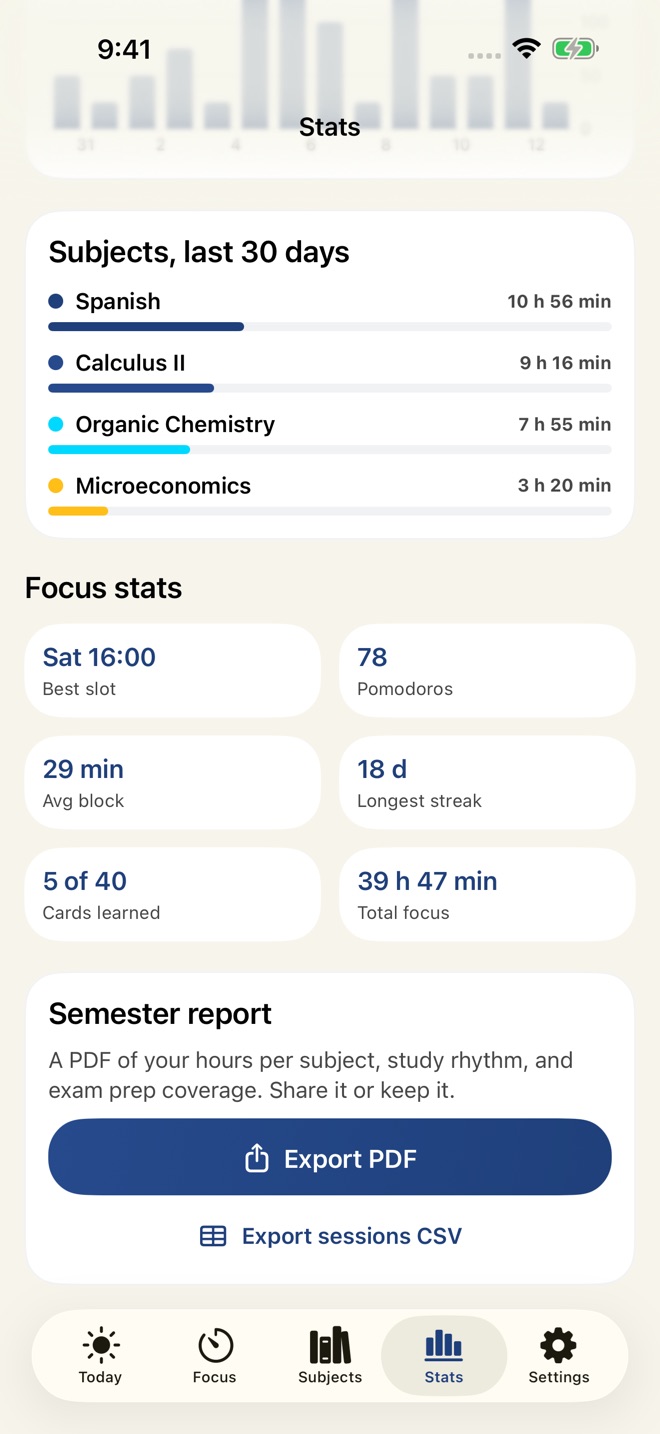
Make a concrete plan for your next study session and keep an accurate record of what you finish. StudyBeat brings your subjects, focus blocks, exam targets and review cards into one study workspace.
PLAN A FINISH LINE
Set an objective for each subject, choose its planned duration and see your queue on Today. Completing an objective does not invent study time: your timer and manual entries record the minutes separately.
FOCUS WITHOUT RUNAWAY TOTALS
Start one focus block. When it finishes, the next phase waits for you. Customize focus and break lengths, pause when needed, or enter study time manually. Open a subject’s history to correct a duration or date, add a learning note and confidence, or delete an accidental entry. Your totals update from your saved records.
PREPARE FOR EXAMS
Give an exam a date and target study hours. See the remaining workload and estimated daily pace. Readiness forecasts project your recent recorded pace against that target; they do not measure mastery or guarantee grades. Edit exam details as plans change.
REVIEW WHAT NEEDS PRACTICE
Create question-and-answer cards, grade your recall and use spaced repetition to schedule the next review. Revisit cards you missed or found difficult. Organize everything by subject, with search and sorting.
SEE YOUR STUDY RHYTHM
Follow your daily goal, recorded-time streak, focus statistics and heatmap. Compare weekly totals and review your learning notes. Recorded time shows effort, not a promise of learning outcomes.
KEEP A USEFUL REPORT
Pro exports a semester PDF with white pages, subject totals, exam preparation, review activity, objectives, weekly comparison and learning notes. Export session details to CSV for your own analysis.
FREE AND PRO
New installations can try one subject and two saved study records. Delete a record to reuse its space. Existing records remain readable, editable and deletable. Existing customers keep applicable previous free allowances.
Pro adds unlimited subjects and study records, study objectives, exam planning and readiness forecasts, spaced and difficult-card review, focus statistics and heatmap, and PDF/CSV exports. Monthly, yearly and one-time Lifetime options unlock the same Pro features.
YOUR DATA AND SUPPORT
Study records are stored on your device. No StudyBeat account or advertising tracking. Sending a support request shares the contact details, message and device/app diagnostics shown in the form. Apple processes purchases. See the Privacy Policy for backups and network requests.
Subscriptions renew automatically until cancelled through your Apple Account subscription settings. Lifetime is a one-time purchase without renewal. Apple displays localized prices and charges your Apple Account when you confirm.
Privacy: https://innovalabworks.com/a/studybeat/privacy
Terms: https://innovalabworks.com/a/studybeat/terms
Apple Standard EULA: https://www.apple.com/legal/internet-services/itunes/dev/stdeula/
What’s new · 2.0.0
A redesigned study studio with objectives, planned time and a study queue. Focus blocks now wait for you before starting another phase, preventing unattended timer overcounting. Edit or delete study sessions, correct exam details, add learning notes and confidence, practice difficult review cards, compare weeks, and export a redesigned white-page semester report. Updated Pro options, localized offer disclosures, support diagnostics and legal documents.
Missing a feature?
Your ideas help shape our apps. Tell us what would make your app more useful.
We review requests to understand what would help. Timing depends on scope, priorities and App Store review.
More from InnovaLabWorksTinyRhythm: Toddler RoutinesAdultReady: Transition PlanBrightPath: IEP Organizer
EducationMore in this category
AdultReady: Transition PlanAdult goals into real progressOn the App Store

BrightPath: IEP OrganizerWalk into IEP meetings readyOn the App Store
GradeCalc: Grade CalculatorKnow where you stand: your weighted grade, the exact score you need on the…On the App Store
IEPBinder: School Meeting KitThe school arrives with data. Arrive with your own: dated observations…On the App Store
Common questions
Where can I download StudyBeat: Study Planner?
Use the App Store link above to see availability, supported devices and current purchase options in your region.
What is the current App Store version?
2.0.0
Where can I find the privacy details?
Read this app’s privacy policy using the link below. Storage, sync and optional online features are specific to each app.