
QuotePad: Fast Job Quotes
Clear scope, ordered job photos and preserved PDF revisions. Prepare your next quote on iPhone or iPad and keep the version you sent.
iPhone and iPadAvailable worldwideVersion 2.0.0
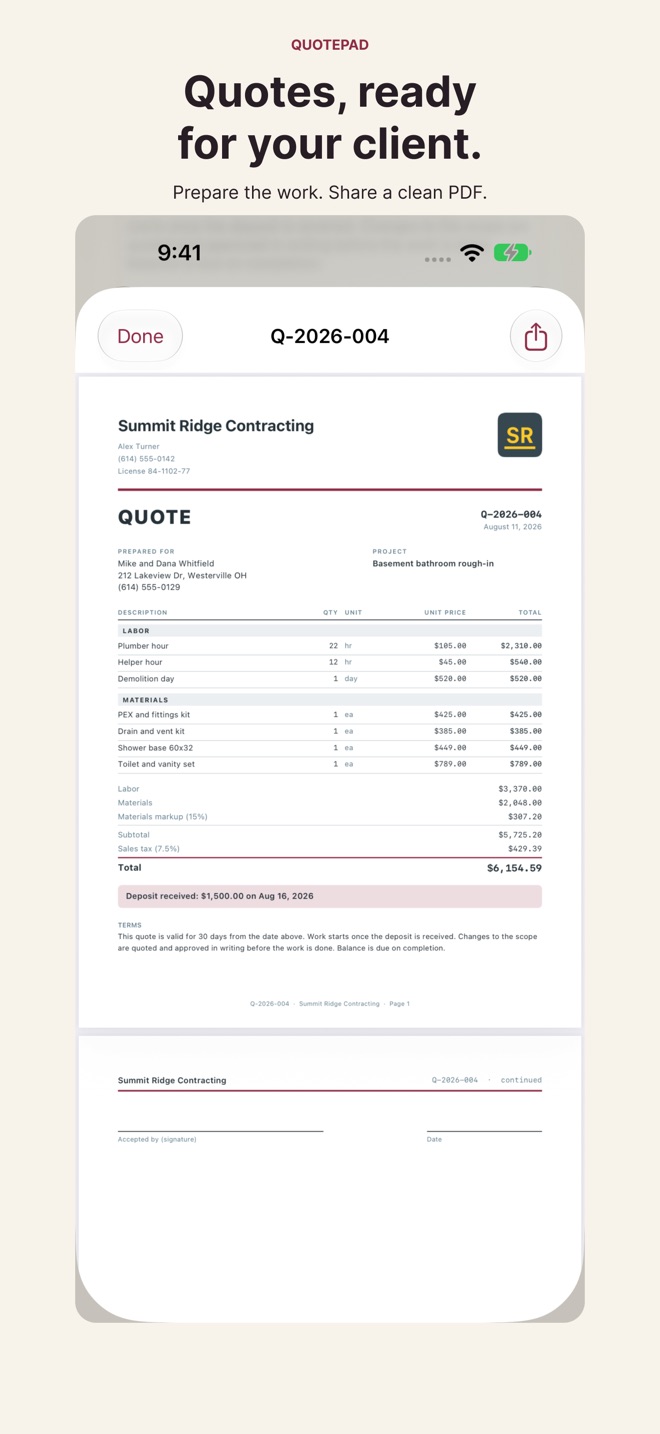
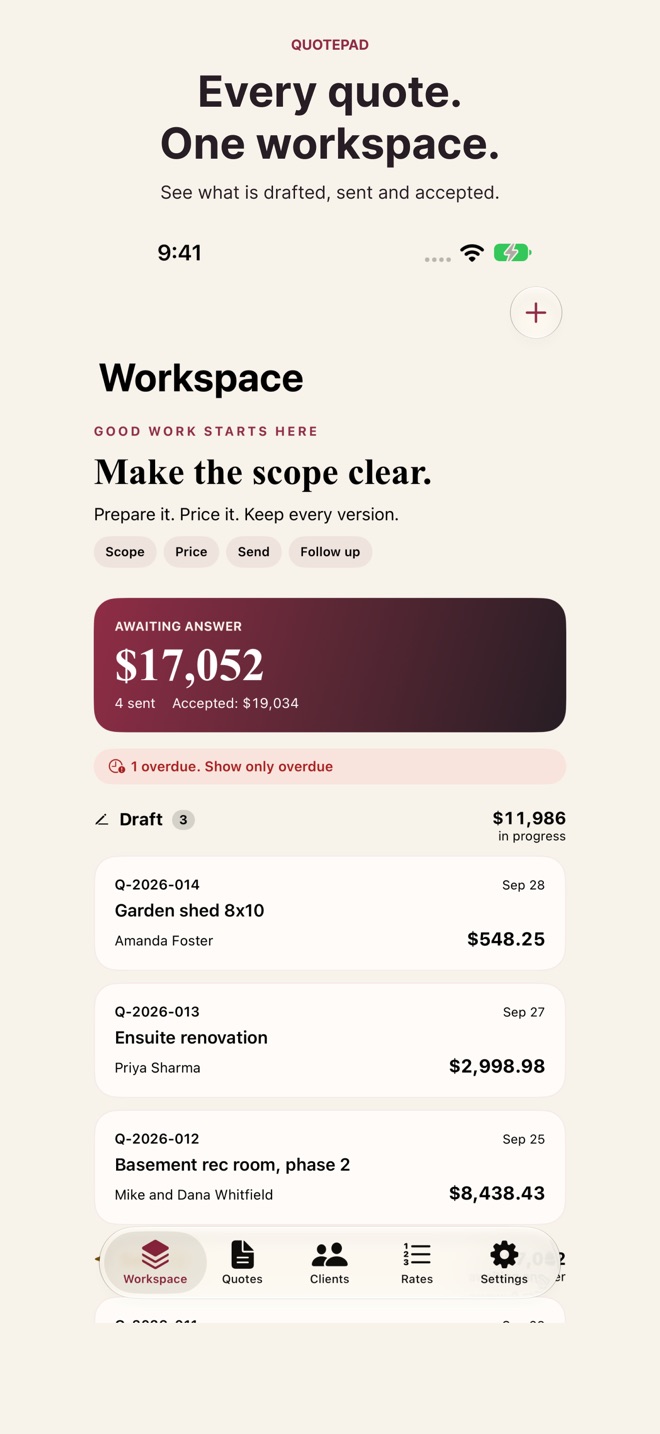
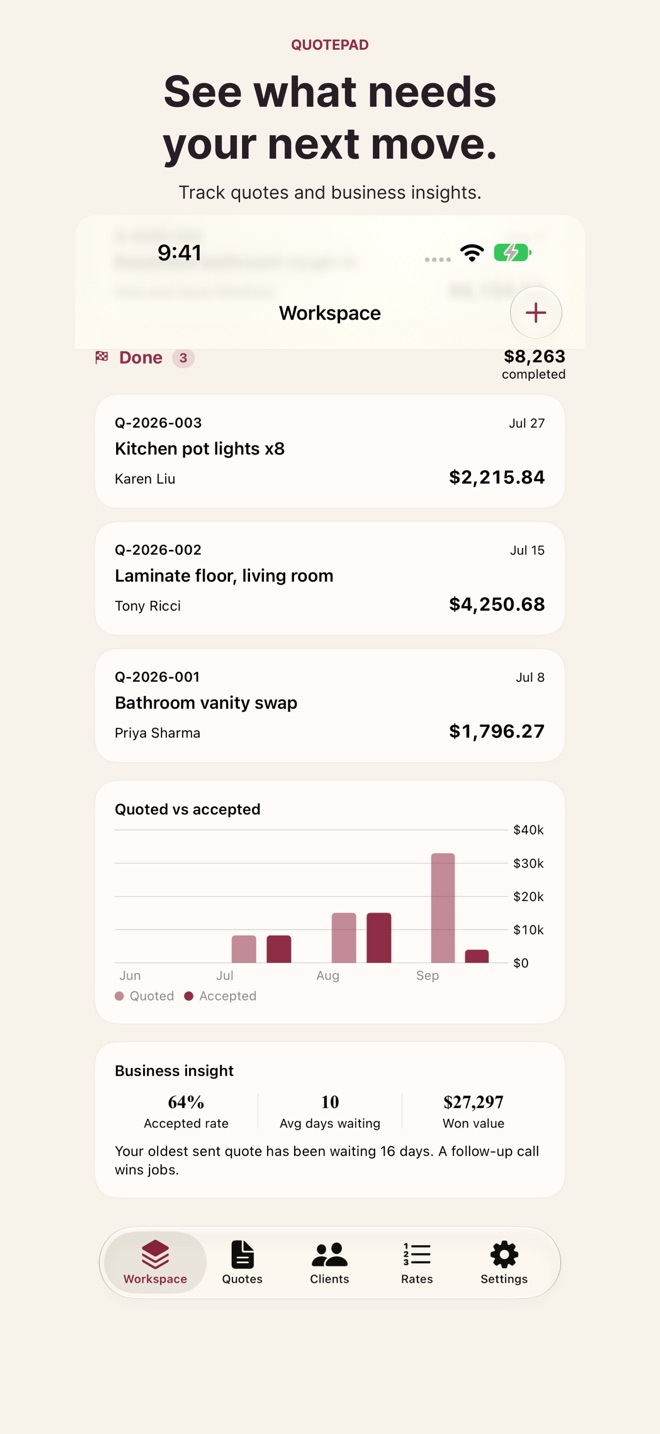
Make the scope clear before the work begins. QuotePad helps contractors and independent tradespeople prepare labor-and-material quotes on iPhone and iPad, then share a clean, numbered PDF with clients.
BUILD THE PROPOSAL
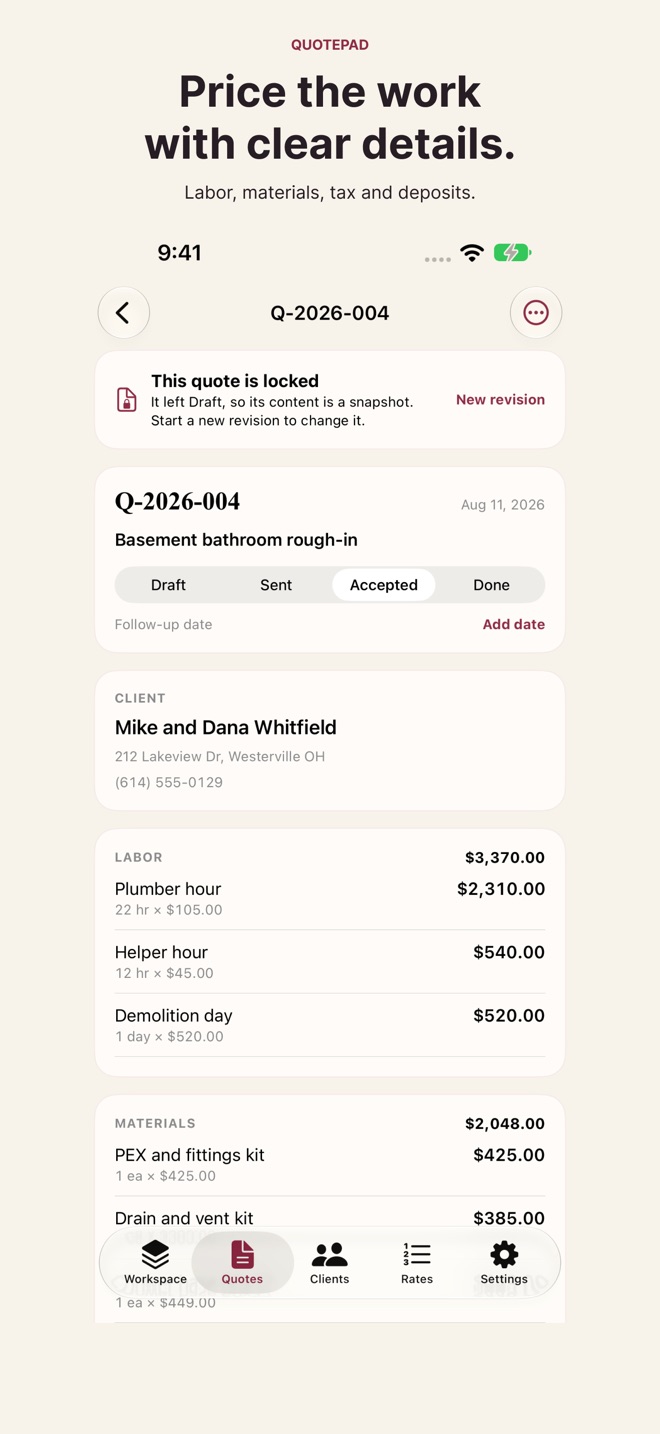
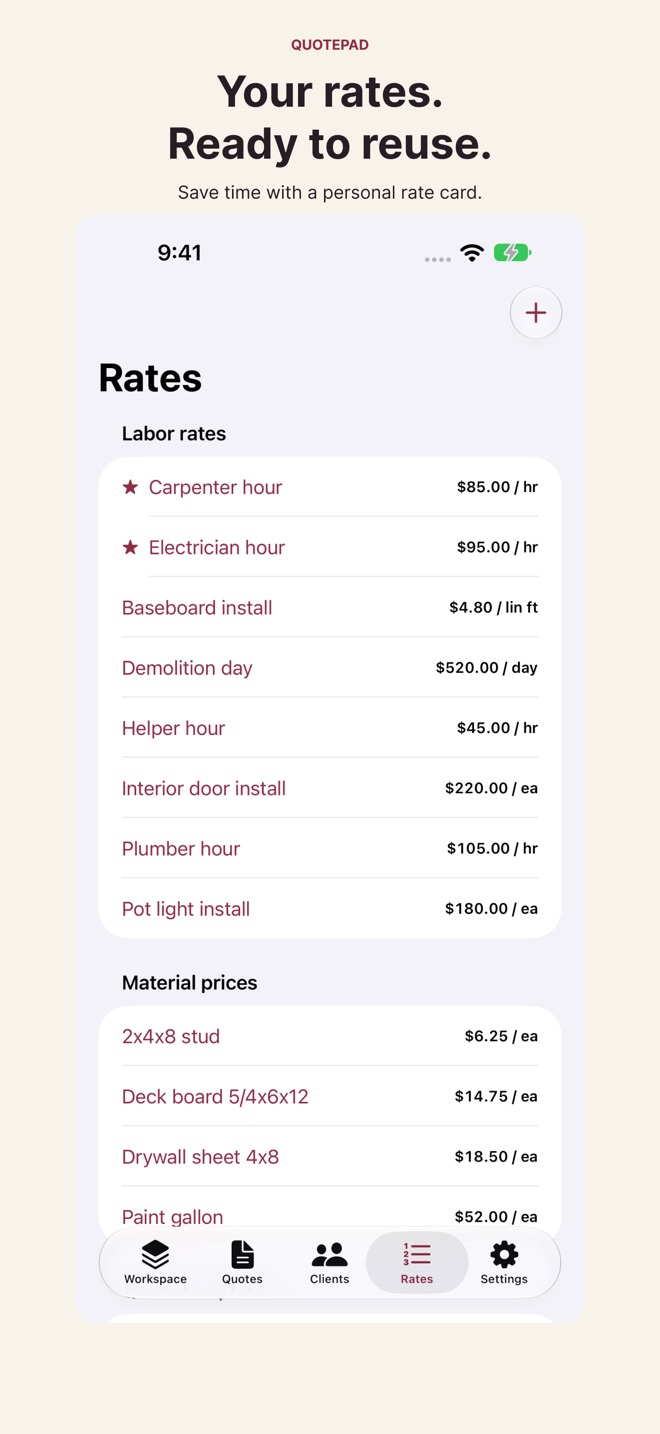
Add labor and materials, decimal quantities, saved rates, material markup, your own tax rates, deposits and terms. Keep client details and job history together. Each quote retains its currency.
KEEP THE VERSION YOU SENT
QuotePad preserves the PDF and document details when a quote leaves Draft. Start an explicit revision to change the proposal, then compare saved revisions, line-item changes and totals. Later business or client edits do not rewrite a saved PDF. Older sent quotes without a saved document are clearly labeled when first captured.
MAKE THE DETAILS VISIBLE WITH PRO
• Define included work, exclusions and a valid-until date.
• Offer optional line items and choose which enter the total.
• Check estimated private costs before sending. Private costs stay out of client PDFs.
• Add job photos, write captions, reorder them and choose the first as the main photo. Control which photos appear in the PDF.
• Reuse and scale templates, duplicate quotes and add your logo to PDFs.
• Follow up on sent quotes, review business insights and export CSV reports.
A WORKSPACE FOR THE JOB
Move quotes through Draft, Sent, Accepted and Done. Use search, rate favorites, client history, follow-up dates and optional widgets. The refreshed paper-and-oxblood design adapts to iPhone and iPad, with brief motion that respects Reduce Motion.
YOUR RECORDS, YOUR DEVICE
No QuotePad account is required. Business records stay on your device. Export and restore full backups, including saved revisions and photos. Delete individual records or use Delete All My Data. A full backup includes private costs; share it only with intended recipients.
FREE AND PRO
Free includes one active quote, one saved rate and the core quoting workflow with a clean basic PDF. Completing a quote frees the active slot. Existing records, saved documents, backup and recovery remain accessible. Pro adds unlimited active quotes and rates, branding, templates, duplication, professional scope and photo tools, private cost checks, reminders, insights and CSV export. Existing purchases remain valid.
Choose monthly or yearly Pro, or a one-time Lifetime purchase. Apple shows prices before purchase. Subscriptions renew automatically until cancelled in Apple Account settings. Pro improvements are included while your Pro access is active; Lifetime has no renewal. Restore Purchases is always available.
You enter and verify your own prices and tax rates. QuotePad creates quotes and estimates, not invoices, tax advice or accounting records.
Privacy: https://innovalabworks.com/a/quotepad/privacy
Terms: https://www.apple.com/legal/internet-services/itunes/dev/stdeula/
What’s new · 2.0.0
QuotePad 2.0 brings a refreshed workspace, paper-and-oxblood design, adaptive iPad workbench and brief motion with Reduce Motion support.
• Preserve actual PDFs and document details for sent revisions. Browse saved versions and compare changed, added or removed line items and totals.
• Add included work, exclusions and quote validity dates.
• Choose optional items and check private estimated costs without printing them on client PDFs.
• Add and reorder job photos, choose the main image, write captions and select photos for PDF export.
• Scale reusable template quantities with a preview before adding them.
• Improved PDF pagination for long items, addresses, terms and photo captions, in English and French.
• Updated Pro plans, a visible PDF sample and a complete feature list.
• Stronger startup data protection and backups that retain saved revisions and photos. Existing records and purchases remain valid.
• A new estimate-pad app icon with native layered presentation and support for earlier iOS versions.
• More reliable iPad section headings and support retries that avoid duplicate requests.
Missing a feature?
Your ideas help shape our apps. Tell us what would make your app more useful.
We review requests to understand what would help. Timing depends on scope, priorities and App Store review.
More in this category

CrewTally: Crew TimesheetsKeep your private book or choose a shared crew. Invite iCloud colleagues and…On the App Store

CueWing: Run of ShowCue lists & rehearsal reportsOn the App Store

DayRate: Freelance DaysDays, invoices, unpaidOn the App Store

FlipStock: Reseller InventoryTrack flips, know your profitOn the App Store
Common questions
Where can I download QuotePad: Fast Job Quotes?
Use the App Store link above to see availability, supported devices and current purchase options in your region.
What is the current App Store version?
2.0.0
Where can I find the privacy details?
Read this app’s privacy policy using the link below. Storage, sync and optional online features are specific to each app.