



Prepare your running order, call each cue, and learn from the rehearsal.
CueWing brings your show setup, live caller and recorded cue timings together on iPhone, iPad, Mac and Apple Watch.
Prepare
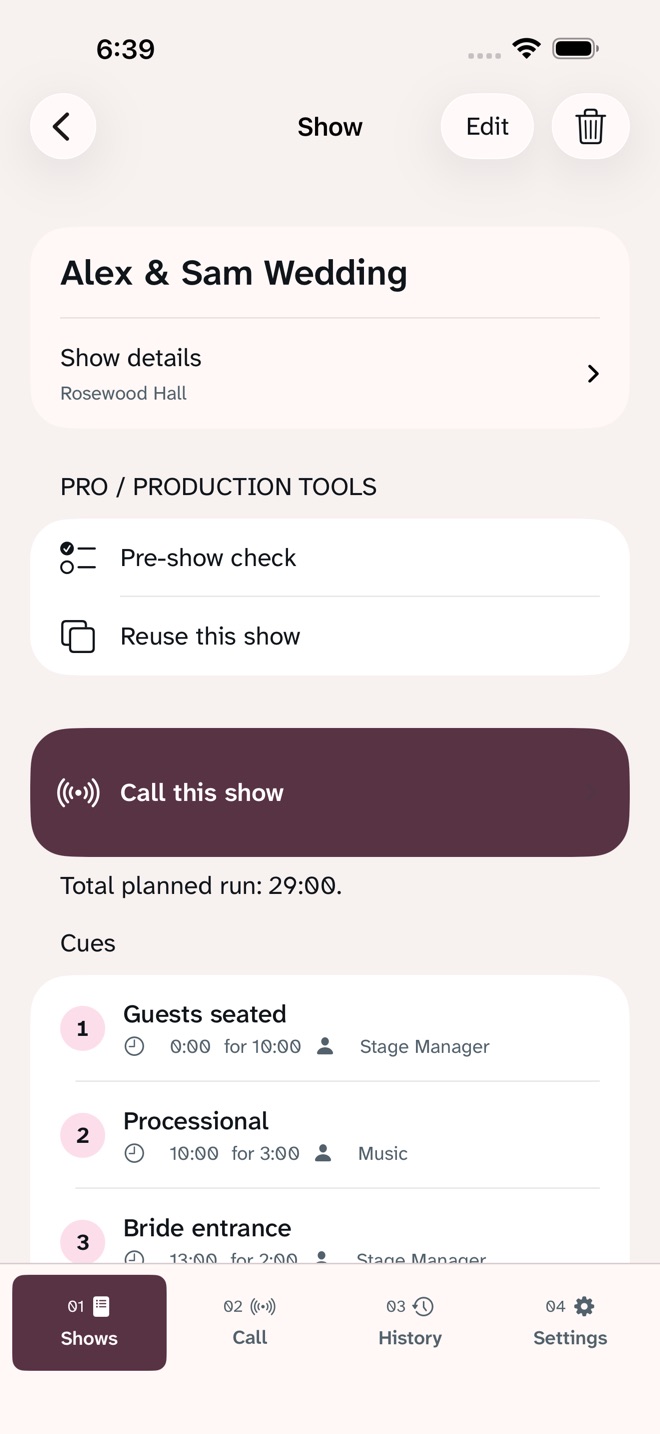
Arrange cues with planned durations, standby instructions, roles and notes. Set the event date and venue, then keep the next cue in sight while calling.
Call
Follow Standby and Go, see elapsed timing against the plan, and use Apple Watch to control the same run. Your saved shows sync through your personal iCloud.
Production Tools with Pro
- Unlimited shows and cues
- Reuse a complete show for your next event: copy cues, timings, roles and notes without copying run history
- Pre-show check: spot unnamed cues, missing timings and unassigned roles, then open the cue to edit it
- Create and assign production roles
- Review recorded runs and timing against plan
- Compare recorded cue starts between rehearsals, with unmatched cues kept separate
- Export rehearsal briefs as clear PDF reports
- Follow the current run with Live Activity
Try It Free
Create and call one active show with up to two cues. Existing saved cues remain available. Pro unlocks the additional capabilities above.
Choose Your Access
Monthly and yearly subscriptions unlock Pro while active. Lifetime is a one-time purchase. Prices are localized by the App Store and shown before confirmation. Subscriptions renew automatically until cancelled in your Apple Account settings. Restore eligible purchases from Settings.
- Privacy: Privacy policy
- Terms: Terms of use
What’s new · 2.0.0
CueWing now brings preparation, live calling and rehearsal review into a refreshed production workspace.
New in Pro: reuse a complete show for your next event and check missing cue details before showtime. Updated navigation, an interactive practice cue, clearer purchase options, rehearsal comparisons and PDF briefs help you prepare and review each run.
Existing saved shows, cues and eligible purchases remain recognized.
More in this category




Common questions
Where can I download CueWing: Run of Show?
Use the App Store link above to see availability, supported devices and current purchase options in your region.
What is the current App Store version?
2.0.0
Where can I find the privacy details?
Read this app’s privacy policy using the link below. Storage, sync and optional online features are specific to each app.