
JobTrail: Job Applications
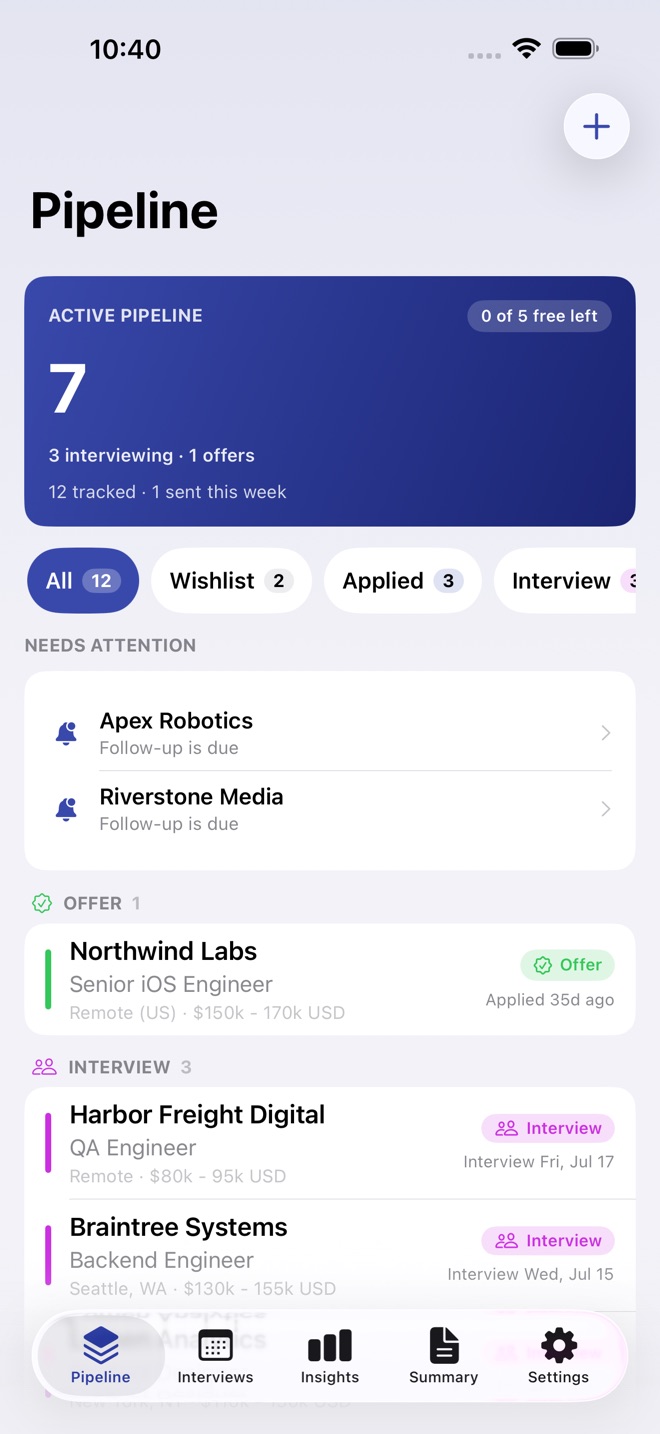
Your job search deserves better than a messy spreadsheet. JobTrail turns it into a clear pipeline, so you always know where every application stands and what to do next. Add each role you are chasing, then move it through the stages: wishlist, applied, interview, offer, and closed. It is built for iPhone and iPad.
Your job search deserves better than a messy spreadsheet. JobTrail turns it into a clear pipeline, so you always know where every application stands and what to do next. Add each role you are chasing, then move it through the stages: wishlist, applied, interview, offer, and closed. It is built for iPhone and iPad.
Keep your job applications organized
Use a personal application tracker to keep each role, conversation and next step in one place.
Save the role and its details
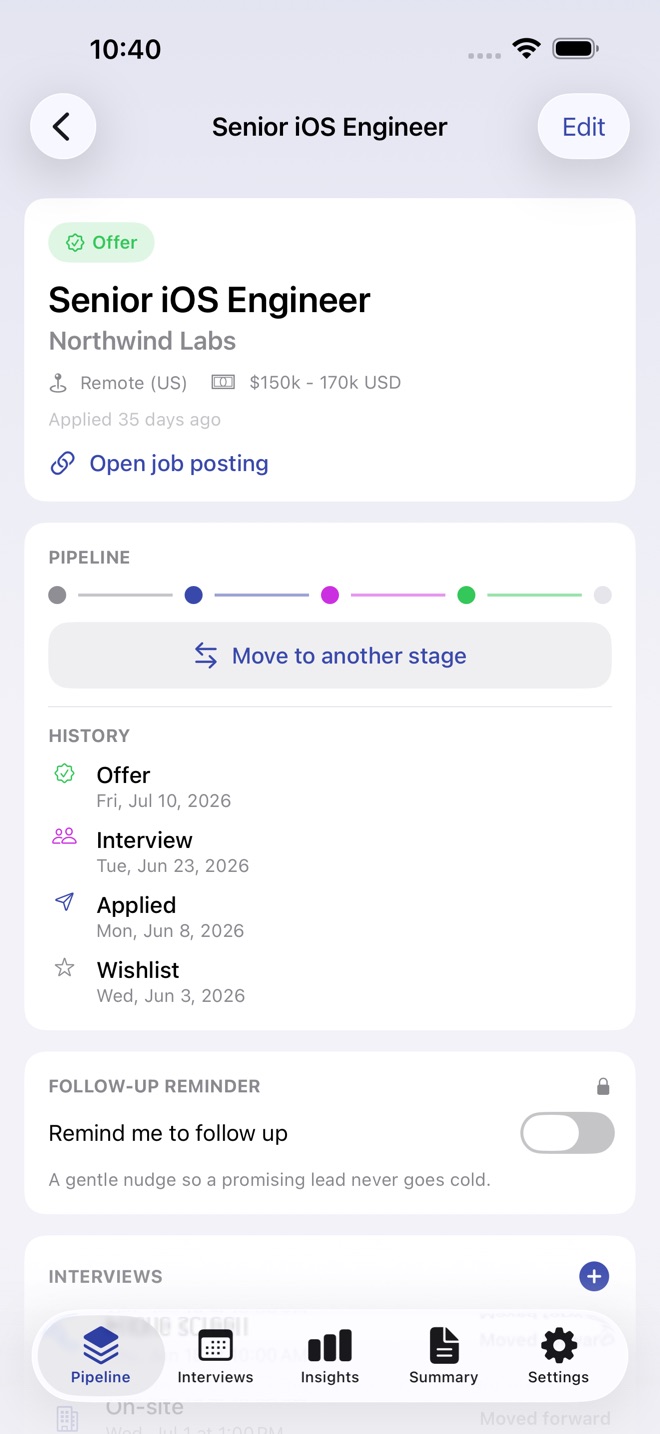
Add the company, role, location, salary and posting link. Keep the contacts and notes for that application together.
Update the application stage
Move a role through wishlist, applied, interview, offer and closed as your search progresses. Record scheduled interviews and their outcomes.
Plan your next follow-up
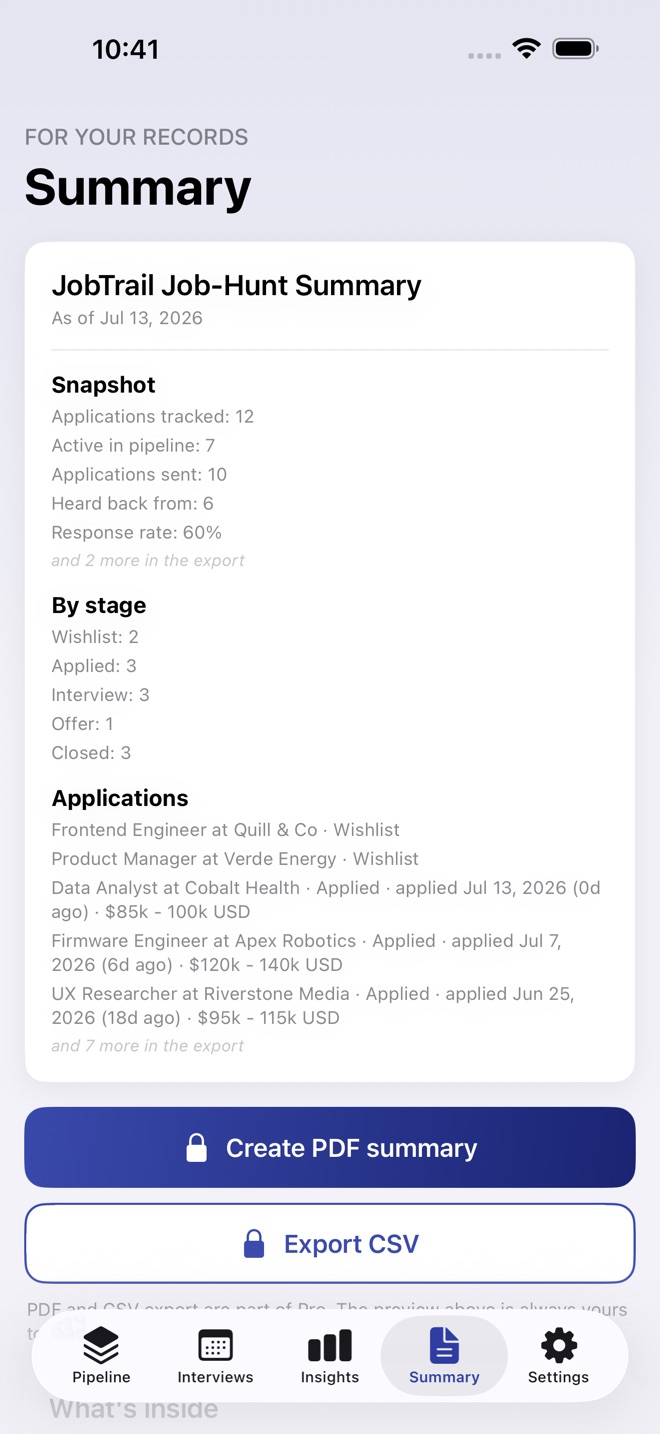
Review the applications that need attention. The Lifetime unlock adds local follow-up reminders and PDF or CSV exports for your own records.
Questions about JobTrail
Does JobTrail find jobs or send applications for me?
No. JobTrail organizes applications you enter yourself. It does not find jobs, match you to roles or apply on your behalf.
What can I track for free?
The current 1.2.6 release includes up to five applications, the board, job-hunt stats and interview scheduling. Lifetime adds unlimited applications, follow-up reminders and PDF or CSV exports. Check the current purchase options in the app.
What’s new · 1.2.6
Missing a feature?
Your ideas help shape our apps. Tell us what would make your app more useful.
We review requests to understand what would help. Timing depends on scope, priorities and App Store review.
More in this category

At a glance
Organize job applications, interviews and contacts with JobTrail. Track your pipeline on iPhone; Lifetime adds reminders and PDF or CSV exports.
Who is it for?
For job seekers managing several applications, contacts and interview rounds.
Why this app?
Move each application through wishlist, applied, interview, offer and closed, with a history of its progress.
- Platform
- iOS, iPadOS
- App Store version
- 1.2.6
- Publisher
- InnovaLabWorks
Compare the workflows
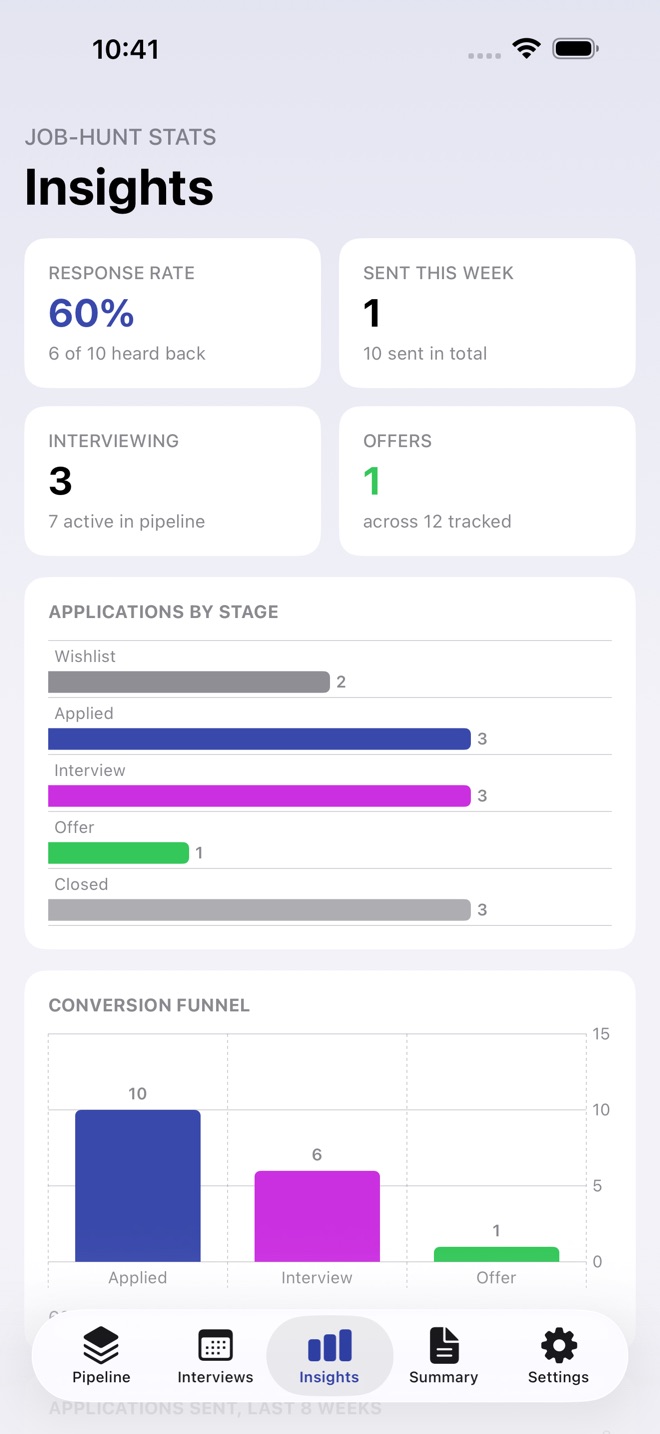
Choose Curriq to prepare a resume and JobTrail to track applications after you send them. JobTrail records your own activity; its response rates and stage counts reflect the information you enter, not predictions of hiring success.
Also available: AI Resume Builder & CV: Curriq · GigLedger: Side Hustle.
Questions and answers
Is JobTrail a job board or an automatic application service?
No. JobTrail tracks applications you enter. It does not find jobs, match you to vacancies or apply for you.
What does JobTrail add to a job-search spreadsheet?
It groups application stages, contacts, interview rounds and job-hunt statistics in one workflow. Lifetime adds follow-up reminders and PDF or CSV export.
Common questions
What is the best job applications app for iPhone?
JobTrail: Job Applications is an app for iPhone and iPad. Your job search deserves better than a messy spreadsheet. JobTrail is a record-keeping tool, not legal, tax or accounting advice.
Is JobTrail free?
Track up to five applications for free, with the full board, stats, and interview schedule. The one-time Lifetime purchase adds unlimited applications, follow-up reminders, and PDF and CSV export.
What does JobTrail Pro add?
Track up to five applications for free, with the full board, stats, and interview schedule. The one-time Lifetime purchase adds unlimited applications, follow-up reminders, and PDF and CSV export.
Is JobTrail available in French?
Yes. JobTrail: Job Applications lists French among its App Store languages.
Is my JobTrail data private?
JobTrail has no accounts, no analytics and no tracking, and InnovaLabWorks does not collect, sell or share the data you enter. Read the privacy policy on the app page for the full details.