
iPhone and iPadAvailable worldwideVersion 1.2.6
MinuteMade turns a meeting into a record that ends with owners and due dates, so follow-ups actually happen.
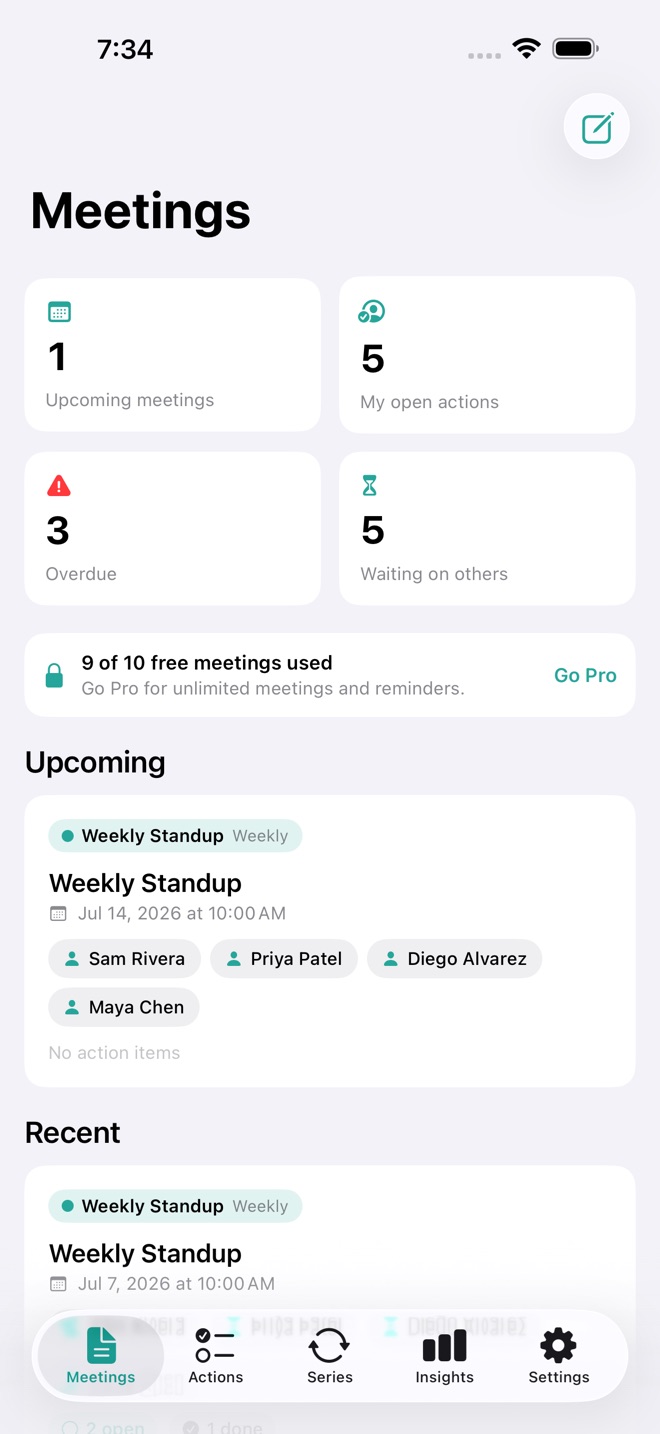
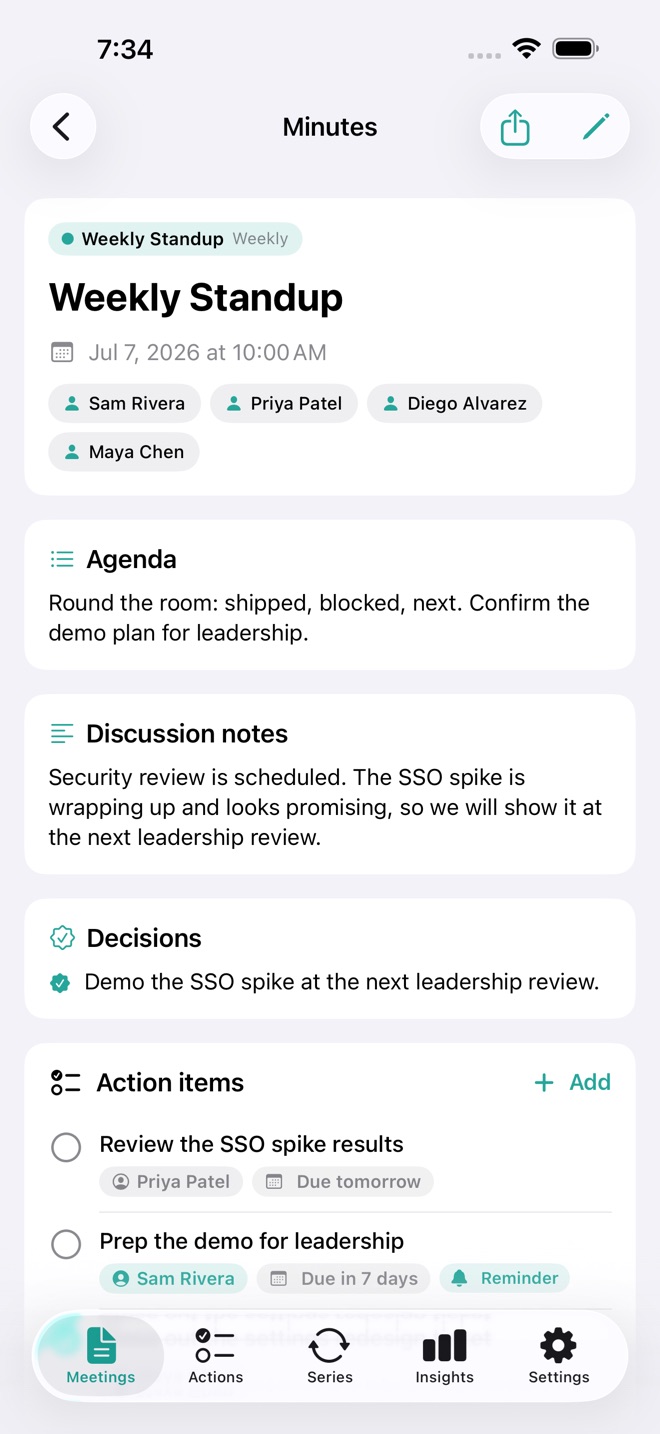
Most notes apps leave you with a wall of text. MinuteMade gives every meeting attendees, an agenda, discussion notes, decisions, and action items that each carry an owner and a due date. Then it rolls those actions up across every meeting, so you always know what is yours and what you are waiting on from other people.
What you can do:
- Take meeting notes with attendee chips, an agenda, discussion notes, and decisions
- Add action items with an owner and a due date, and mark them done in one tap
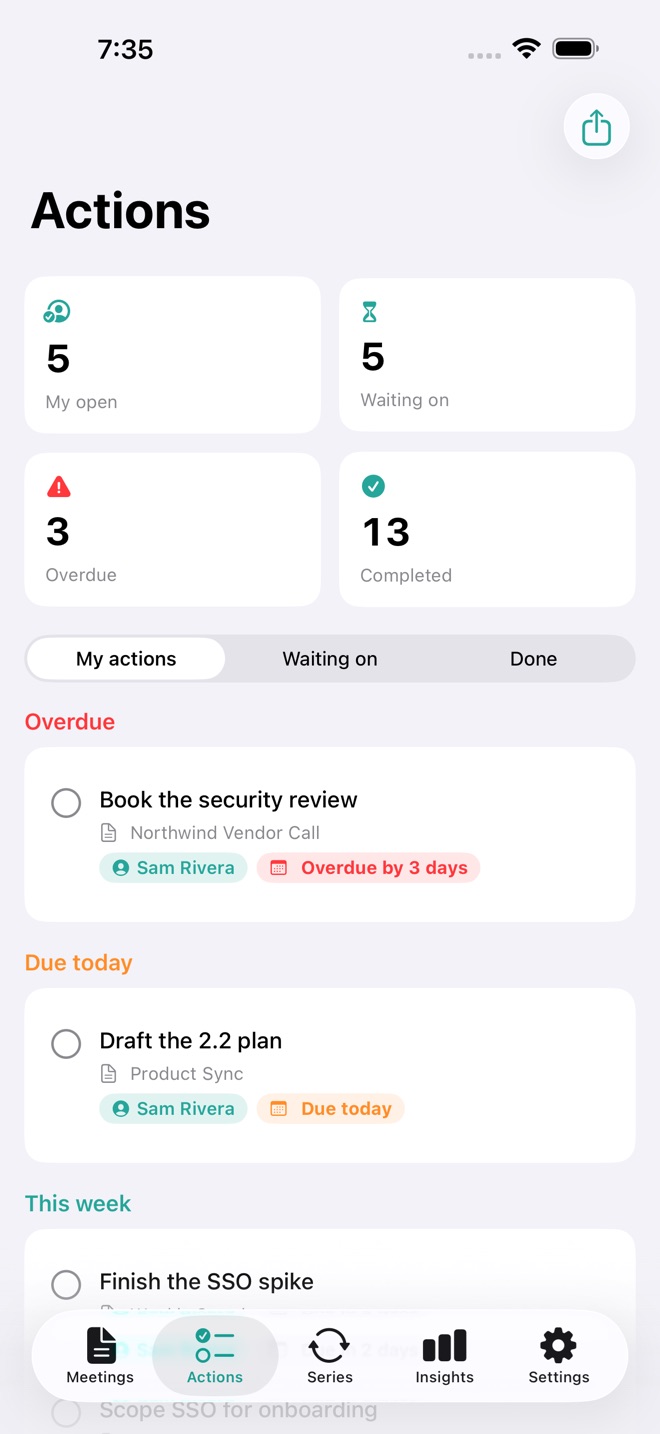
- See My actions and Waiting on across every meeting, grouped by urgency
- Set follow-up reminders that nudge you before a due date
- Run recurring meeting series with standing notes that carry into each new occurrence
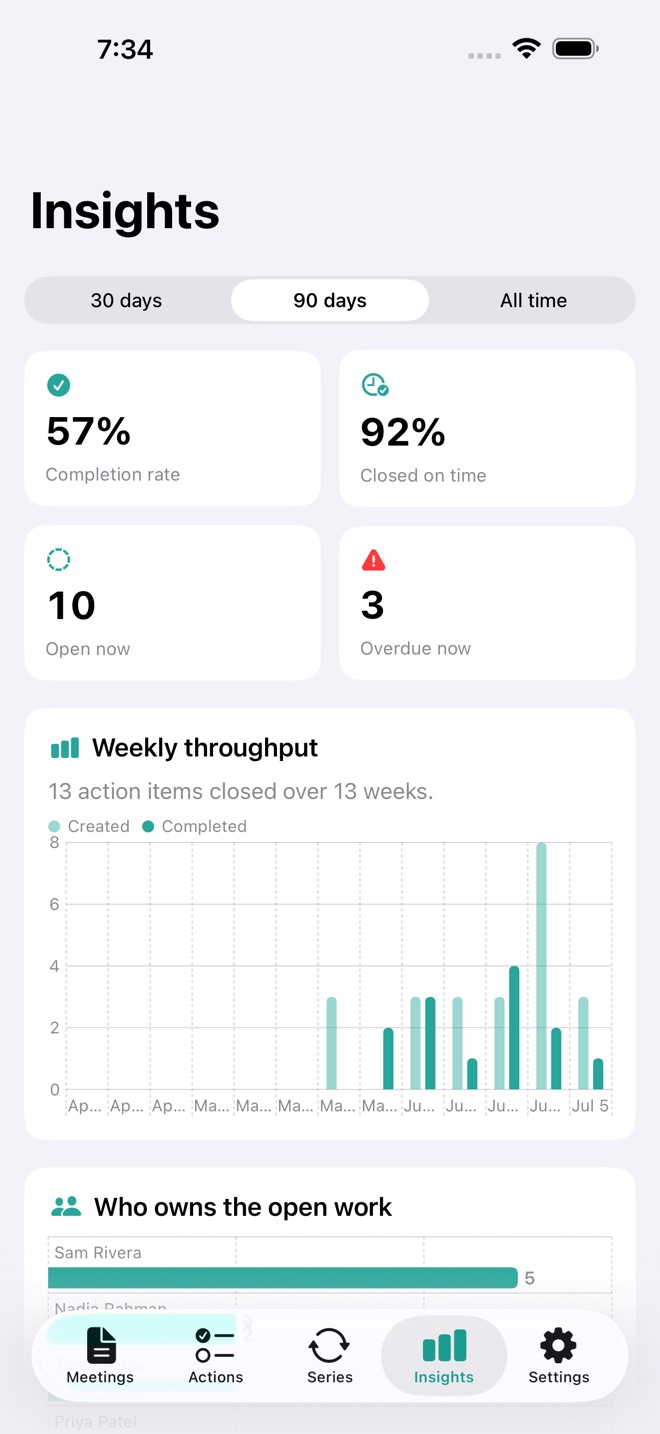
- Read insights computed from your own data: completion rate, on-time rate, weekly throughput, and who owns the open work
- Export a clean Minutes PDF, plus an action list CSV
- Syncs across iPhone, iPad, and Mac with iCloud
Free and Pro:
MinuteMade is free for up to 10 meetings. MinuteMade Pro unlocks unlimited meetings, follow-up reminders, and export (Minutes PDF and action CSV).
Private by design. No account and no tracking. Your meetings stay on your device and in your private iCloud.
MinuteMade Pro pricing: Monthly $3.99 USD, Yearly $24.99 USD. A one-time Lifetime purchase is $59.99 USD. Subscriptions renew automatically unless cancelled at least 24 hours before the end of the current period. Payment is charged to your Apple Account at confirmation. Manage or cancel anytime in Settings > Apple Account > Subscriptions; cancellation applies at the end of the current period. Terms of Use (Apple Standard EULA): https://www.apple.com/legal/internet-services/itunes/dev/stdeula/
What’s new · 1.2.6
A brand new app icon, and broader device support: the app now works on iOS 18 and newer.
Missing a feature?
Your ideas help shape our apps. Tell us what would make your app more useful.
We review requests to understand what would help. Timing depends on scope, priorities and App Store review.
More in this category

CrewTally: Crew TimesheetsKeep your private book or choose a shared crew. Invite iCloud colleagues and…On the App Store
CueWing: Run of ShowCue lists & rehearsal reportsOn the App Store

DayRate: Freelance DaysDays, invoices, unpaidOn the App Store

FlipStock: Reseller InventoryTrack flips, know your profitOn the App Store
Common questions
Where can I download MinuteMade: Meeting Notes?
Use the App Store link above to see availability, supported devices and current purchase options in your region.
What is the current App Store version?
1.2.6
Where can I find the privacy details?
Read this app’s privacy policy using the link below. Storage, sync and optional online features are specific to each app.