
FrostList: Freezer Inventory
Freezer, fridge, and pantry inventory that nudges you before food turns, suggests meals to use it up, and counts the waste you save. Syncs across iPhone, iPad, and Mac.
iPhone and iPadAvailable worldwideVersion 1.2.7
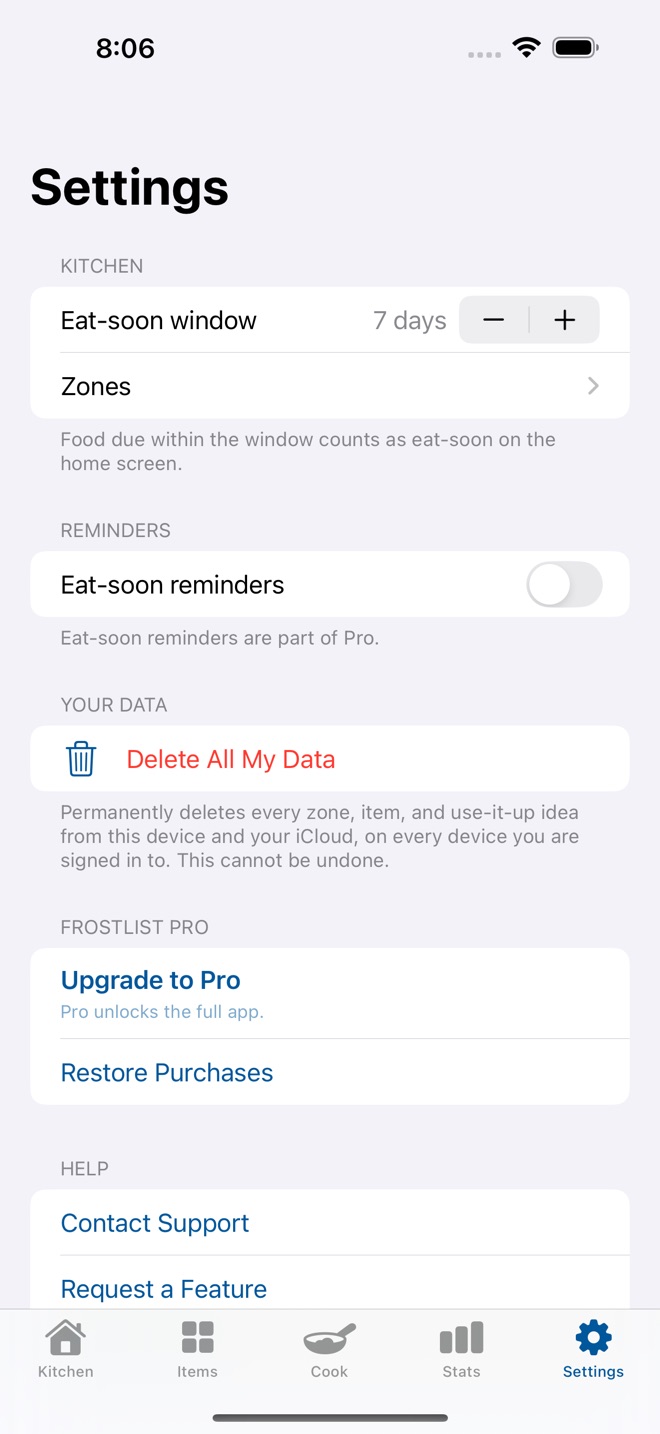
FrostList is a freezer, fridge, and pantry inventory that helps you eat what you already bought. Log what goes in with a quantity and a date, and FrostList works out when to use it, what to cook first, and what keeps getting thrown away. No account, no ads, no tracking.
ZONES FOR EVERY SHELF
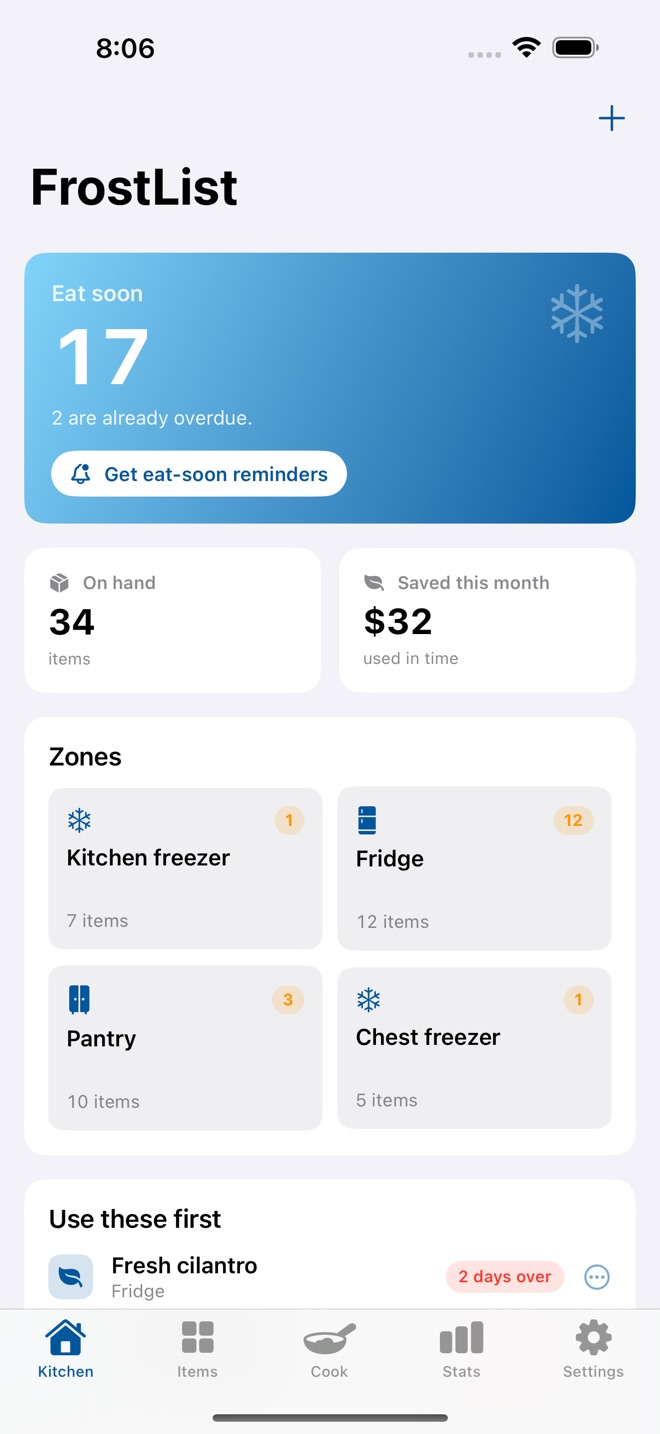
Set up freezer, fridge, and pantry zones, then sort every item into the one it lives in. A glance shows how full each zone is and how many things are close to their date.
ITEMS WITH A DATE
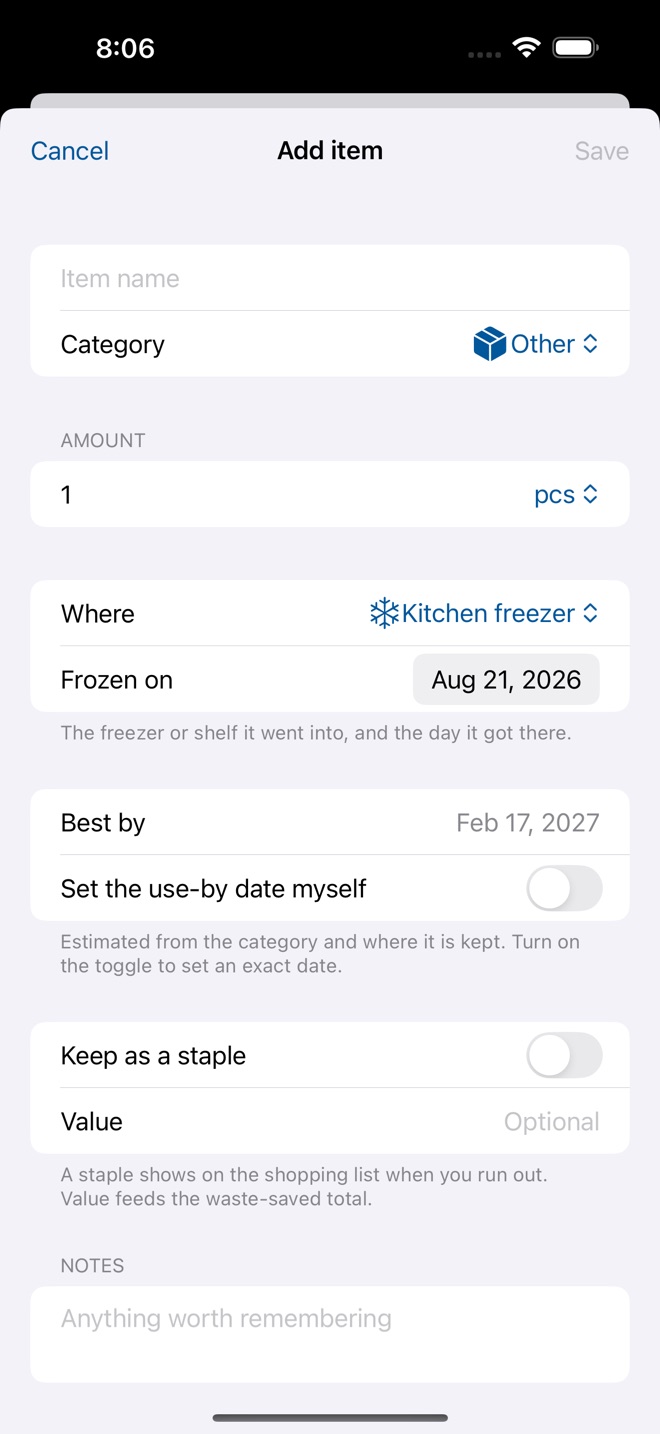
Every item carries a quantity, a unit, and a frozen-on or stored-on date. FrostList estimates a use-by date from the food type and where it is kept, or you set an exact one yourself.
EAT SOON, RANKED
The home screen shows what is closest to its date first, with anything overdue called out. Turn on optional local reminders and FrostList nudges you before food turns, so nothing hides at the back of the freezer.
USE IT UP
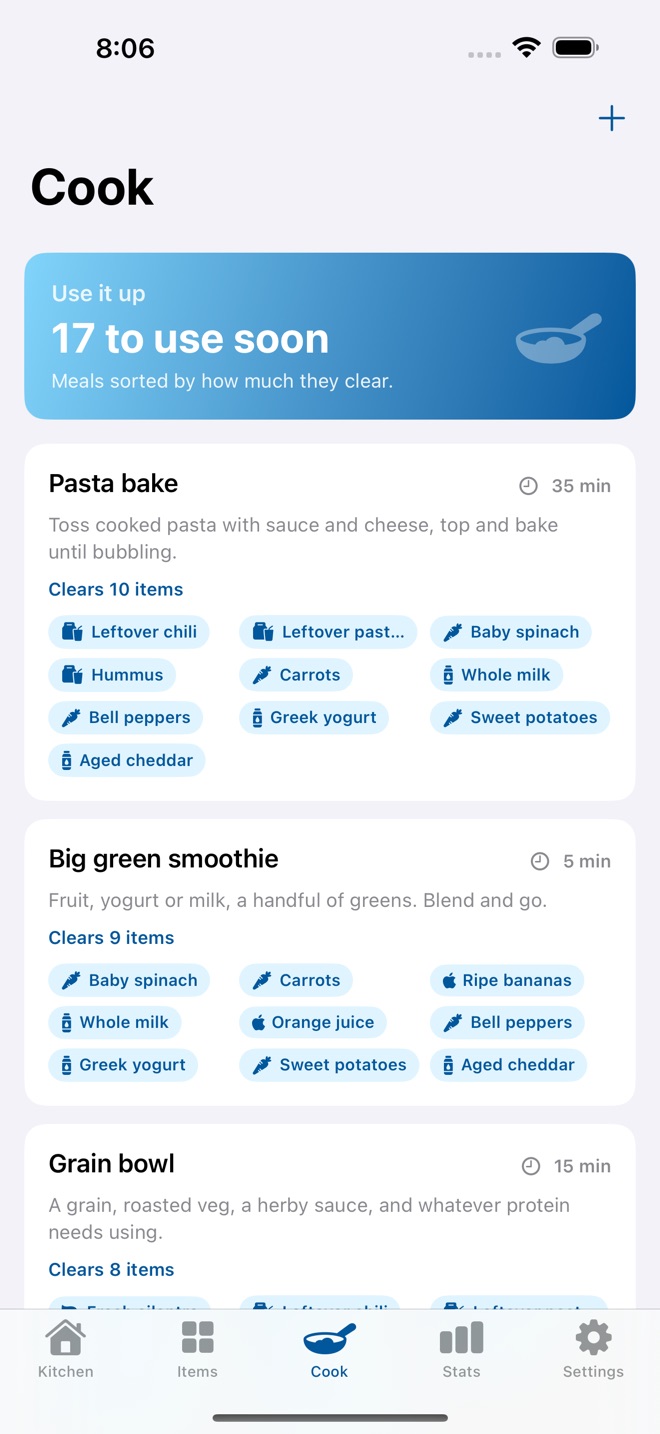
Meal ideas are ranked by how much soon-to-expire food each one would clear, and each shows the exact items to grab. Add your own ideas and tag the categories they use.
A SHOPPING LIST THAT BUILDS ITSELF
Mark the things you always want in stock as staples. When you run out of one, it lands on the shopping list, ready to restock in a tap.
WASTE SAVED, COUNTED
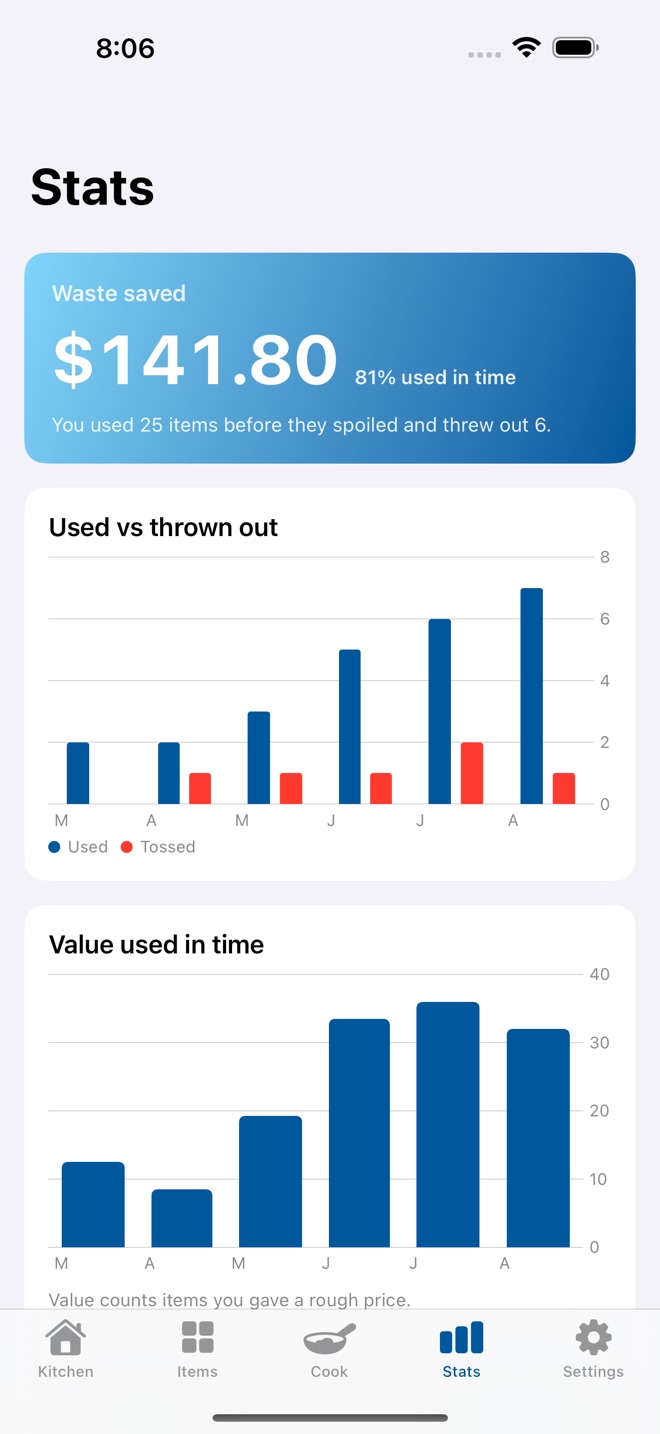
FrostList keeps a running count of what you used in time versus what you threw out, the rough money you saved, and a month-by-month chart so the habit is visible.
PRINT IT OR EXPORT IT
Export a printable Kitchen Inventory PDF for the fridge door, or a CSV of everything with ISO dates that opens in any spreadsheet.
ON EVERY DEVICE YOU OWN
FrostList syncs across iPhone, iPad, and Mac with iCloud. The iPad and Mac layout puts your zones beside the eat-soon list, a proper kitchen dashboard.
FREE VS PRO
The free preview includes 2 active items with zones, dates, the eat-soon list, use-it-up ideas, the shopping list, and the waste-saved counter. Every saved item remains visible and editable. Pro unlocks unlimited active items, eat-soon reminders, and the PDF and CSV exports. Pro is offered as a monthly subscription, a yearly subscription, or a one-time lifetime unlock. The current price is shown in the app and on this page before you buy.
Shelf-life estimates are general guidance, not a food-safety rule. When in doubt, throw it out.
Pro subscriptions renew automatically until cancelled. Payment is charged to your Apple Account at confirmation, and the account is charged for renewal within 24 hours before the end of the current period at the price shown in the app at the time of purchase. Cancel anytime in Settings > Apple Account > Subscriptions; cancellation applies at the end of the current period. The Lifetime unlock is a one-time purchase, not a subscription. Terms: Apple Standard EULA https://www.apple.com/legal/internet-services/itunes/dev/stdeula/
What’s new · 1.2.7
FrostList now provides a 2 item active inventory preview, while every existing saved item stays visible and editable. Purchases and restores verify the exact product before Pro unlocks. Native App Store rating requests follow successful kitchen moments. Privacy and purchase terms explain iCloud sync, local pricing, and what each Pro option unlocks.
Missing a feature?
Your ideas help shape our apps. Tell us what would make your app more useful.
We review requests to understand what would help. Timing depends on scope, priorities and App Store review.
More in this category
AltiBake: Altitude BakingFix recipes for altitudeOn the App Store

BrewBatch: Homebrew LogBatches, gravity, bottlesOn the App Store

CellarBook: Wine CellarBottles, notes, drink-byOn the App Store
CookConvert: Kitchen MathCups, grams, pans, scaleOn the App Store
Common questions
Where can I download FrostList: Freezer Inventory?
Use the App Store link above to see availability, supported devices and current purchase options in your region.
What is the current App Store version?
1.2.7
Where can I find the privacy details?
Read this app’s privacy policy using the link below. Storage, sync and optional online features are specific to each app.