
BillOrbit: Bill Calendar
Put every bill on one calendar, get nudged 3 days, 1 day, and the day it is due, and see what your subscriptions really cost per year. Syncs across your devices.
iPhone and iPadAvailable worldwideVersion 1.2.6
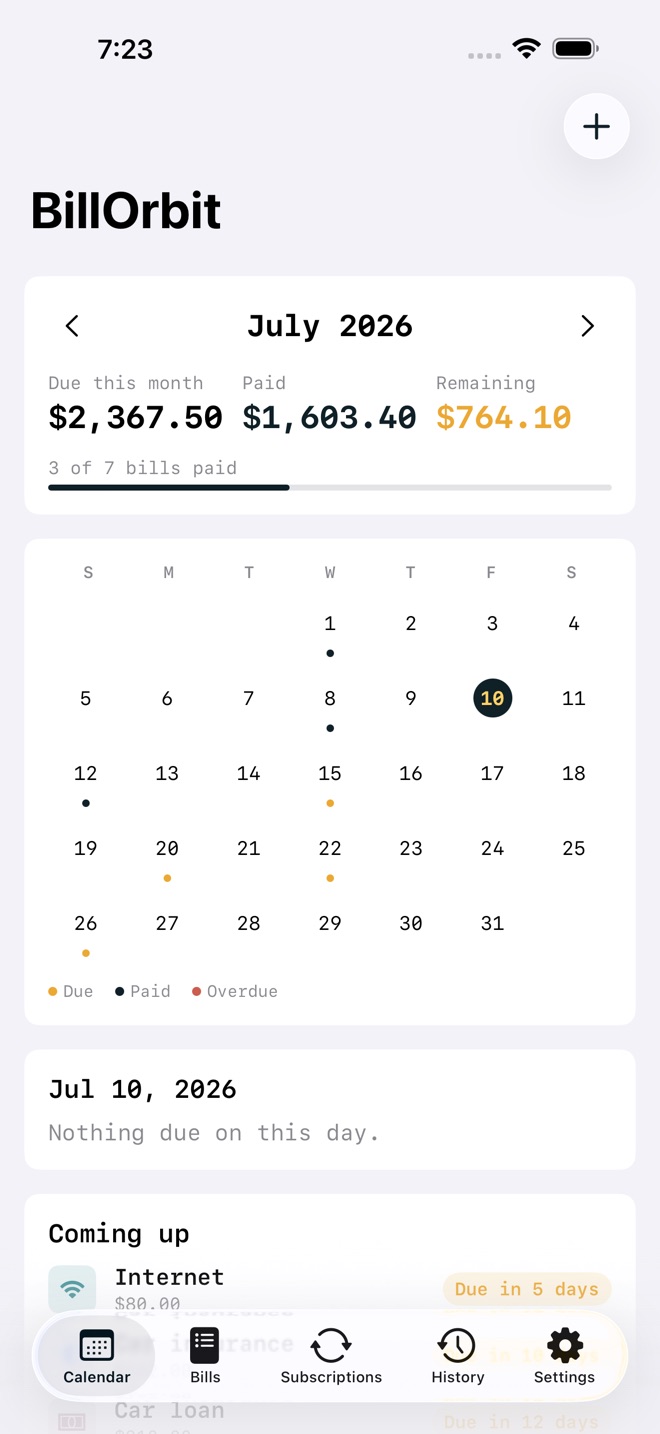
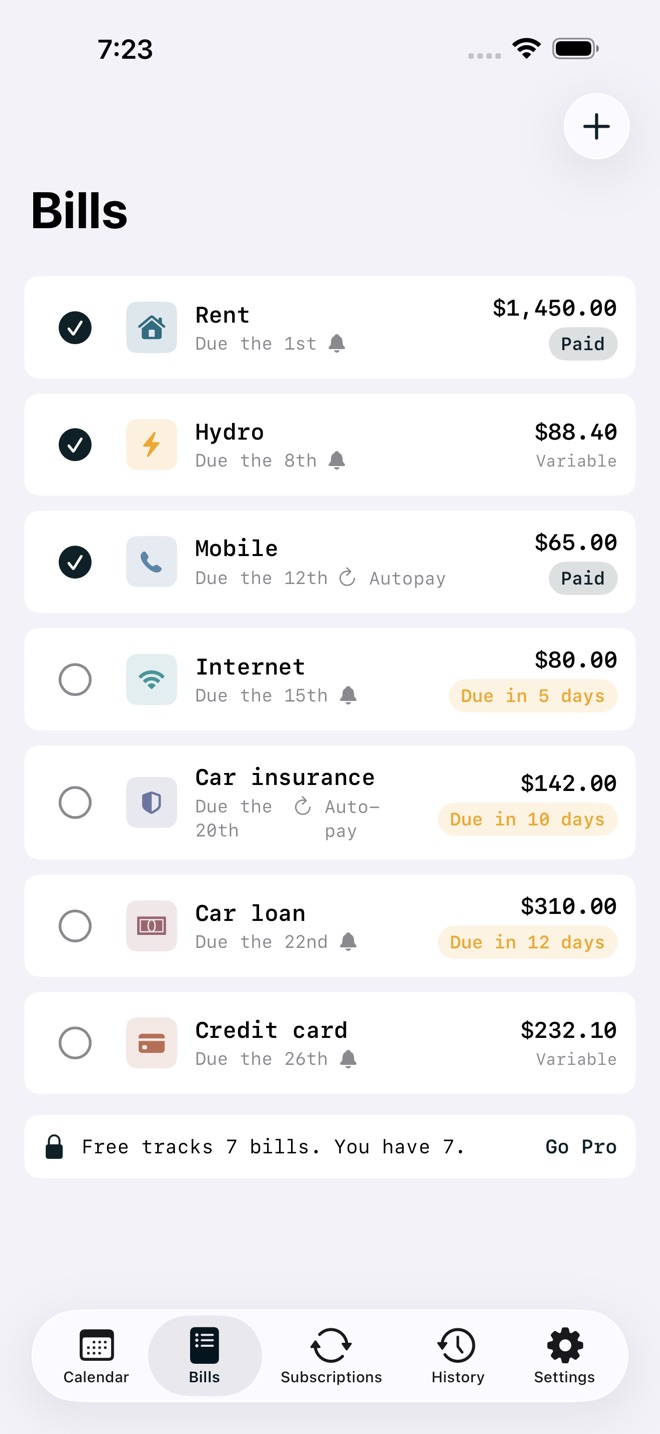
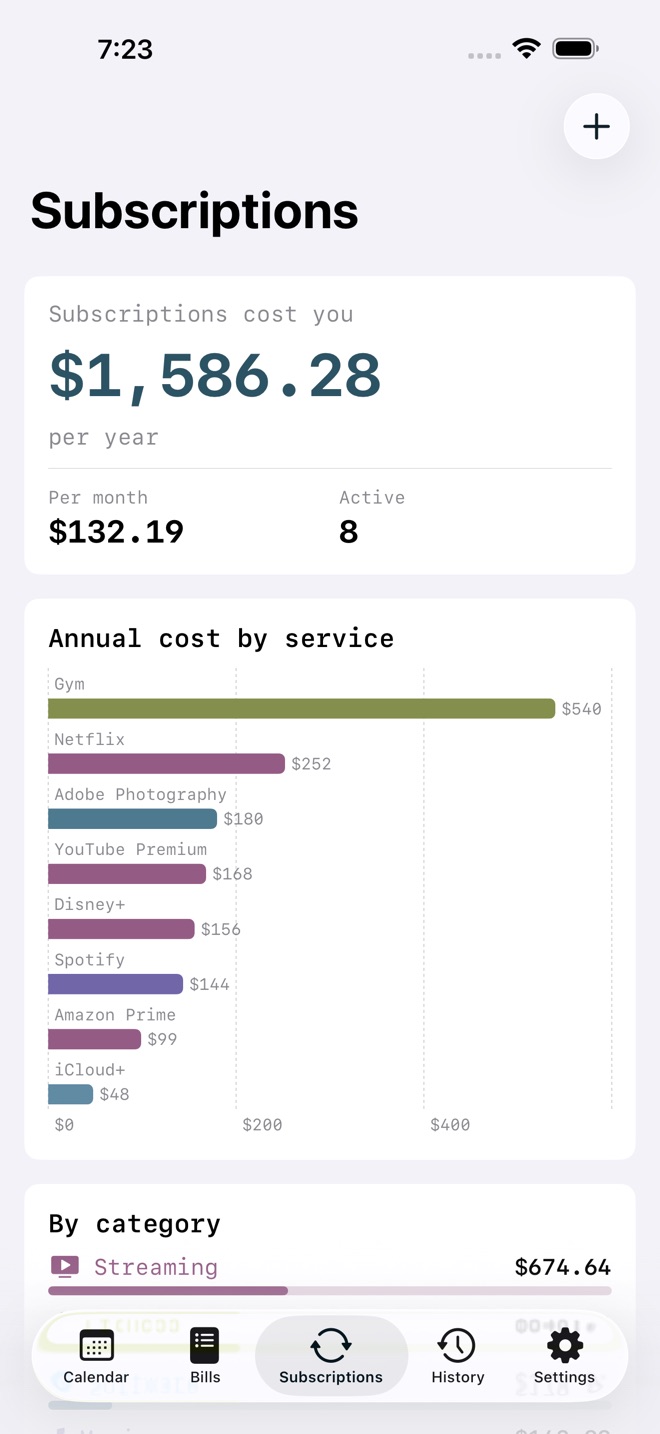
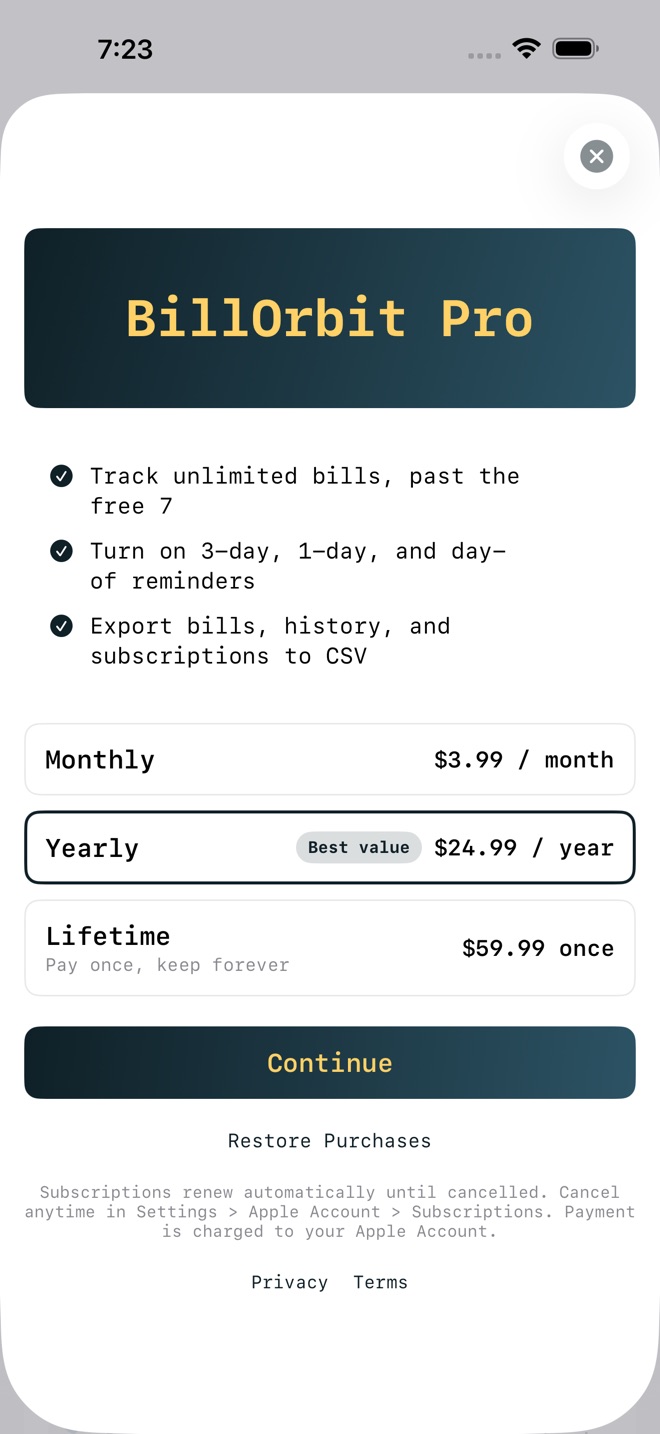
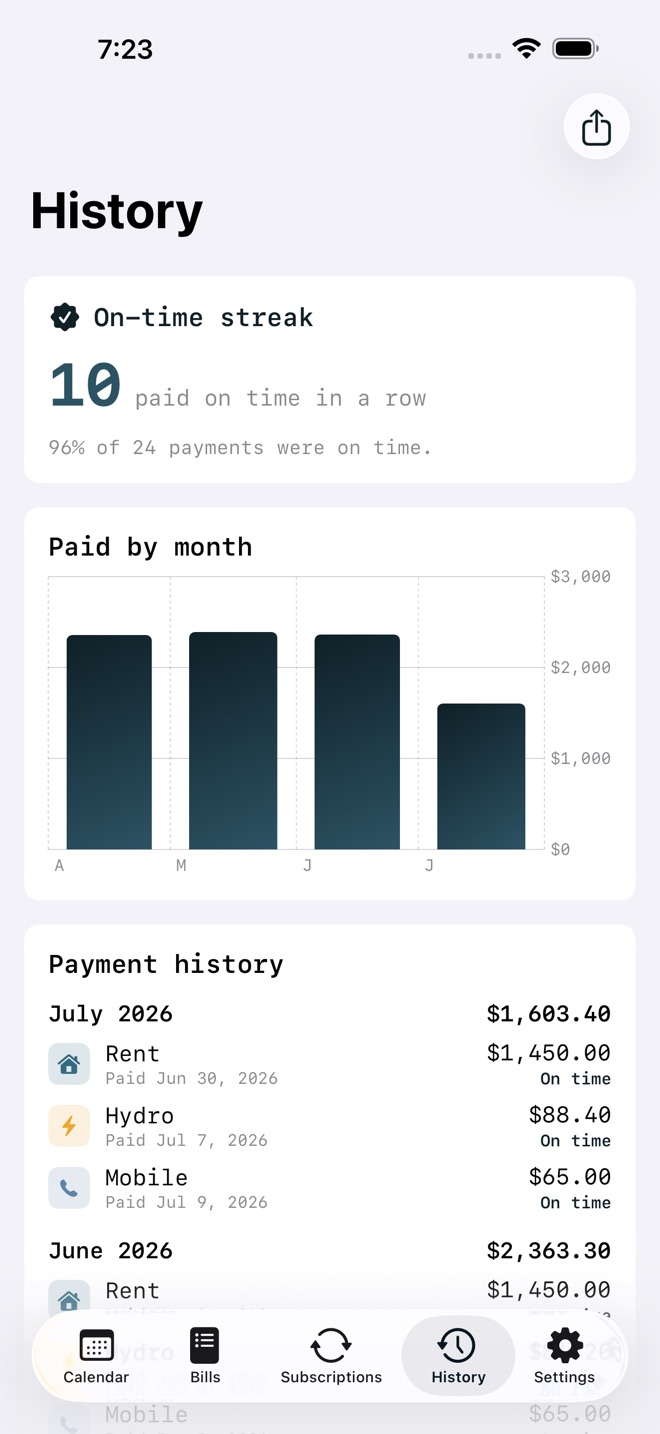
BillOrbit is a bill calendar that keeps every due date, amount, and subscription in one place, so nothing slips past you.
Add each bill once with its amount and the day it is due. BillOrbit puts it on a month calendar, adds it to your running total, and can remind you 3 days out, 1 day out, and on the due day. Check a bill off when you pay it and BillOrbit keeps the record.
WHAT BILLORBIT DOES
- A month calendar of every due date, colored for paid, due, and overdue.
- A live total for the month: what is due, what you have paid, and what is left.
- Reminders 3 days before, 1 day before, and on the due day, set per bill.
- One tap to check a bill off as paid, with a history you can look back on.
- Variable bills for amounts that change, like hydro or a credit card. Enter the real amount each month.
- A subscription list with the annual cost x-ray: what every service adds up to per year and per month.
- An on-time streak and a monthly spend trend, both built from your own check-offs.
- CSV export of your bills, payment history, and subscriptions, with ISO dates and spreadsheet-safe decimals.
- Syncs across iPhone, iPad, and Mac with iCloud.
PRIVATE BY DESIGN
No account, no tracking. Your data stays on your device and in your own private iCloud, tied to your Apple Account and never visible to us.
FREE VS PRO
Free tracks up to 7 bills with the full calendar, check-offs, history, variable amounts, and the subscription x-ray. Pro unlocks unlimited bills, the 3-day, 1-day, and day-of reminders, and CSV export.
Pro is offered as a monthly subscription, a yearly subscription, or a one-time lifetime unlock. The current price is shown in the app and on this page before you buy.
Pro subscriptions renew automatically until cancelled. Payment is charged to your Apple Account at confirmation. Cancel anytime in Settings > Apple Account > Subscriptions; cancellation applies at the end of the current period. Terms: Apple Standard EULA https://www.apple.com/legal/internet-services/itunes/dev/stdeula/
What’s new · 1.2.6
A brand new app icon and maintenance improvements.
Missing a feature?
Your ideas help shape our apps. Tell us what would make your app more useful.
We review requests to understand what would help. Timing depends on scope, priorities and App Store review.
More in this category
AfterClaim: Life BenefitsConnect benefit sources, document requirements, carrier follow ups, beneficiary…On the App Store

CoParentLedger: Kid CostsEvery shared cost for the children, each parent's share under your agreed…On the App Store

CycleFund: Fertility CostsPlan treatment costs clearlyOn the App Store

GigLedger: Side HustleSee what your side hustle really earns. Log income and costs per gig, see real…On the App Store
Common questions
Where can I download BillOrbit: Bill Calendar?
Use the App Store link above to see availability, supported devices and current purchase options in your region.
What is the current App Store version?
1.2.6
Where can I find the privacy details?
Read this app’s privacy policy using the link below. Storage, sync and optional online features are specific to each app.